

Before you start
- Confirm you are in Finances before comparing amounts.
- Use period filters only when you need to review another month.
- Do not press Save, Export CSV, or Send when you are only reviewing information.
1. Place each word in Finances
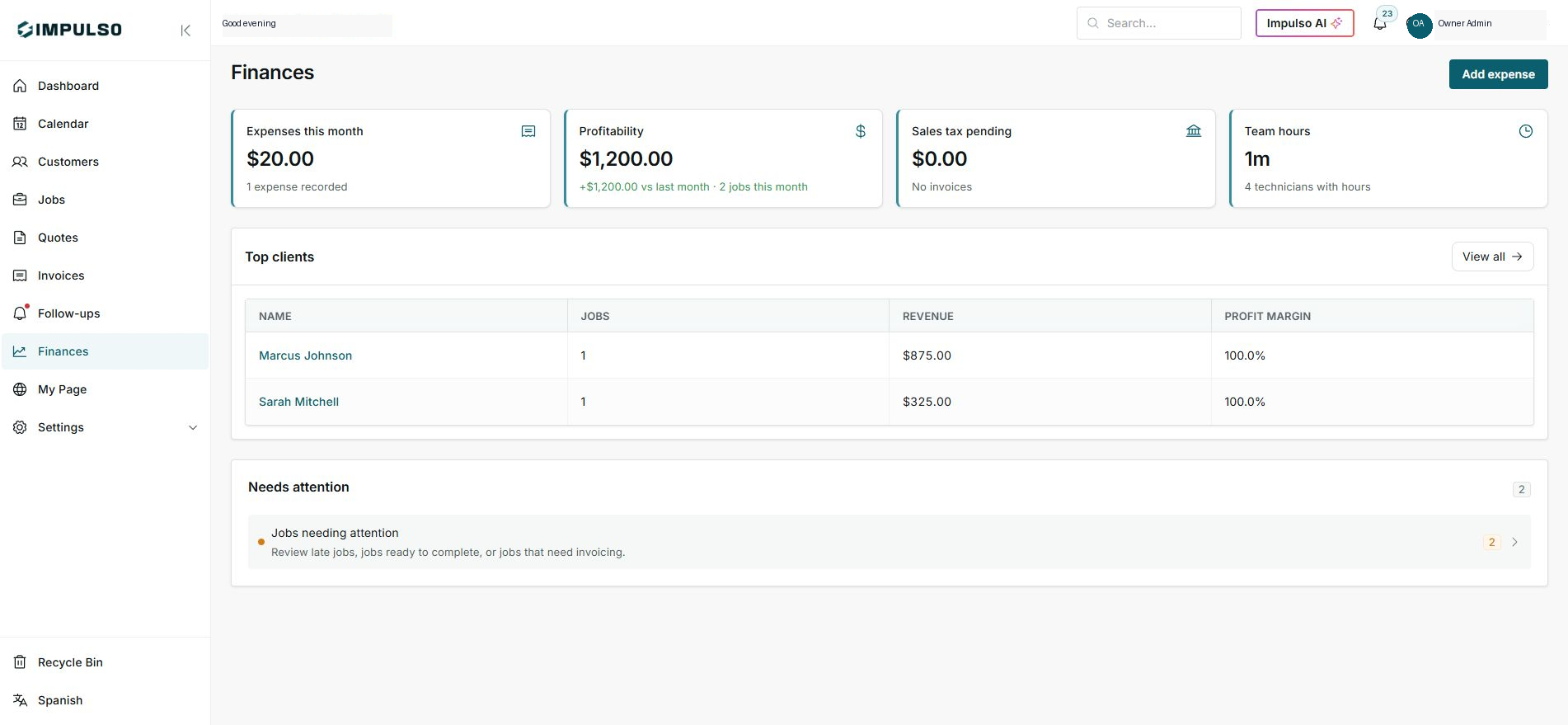
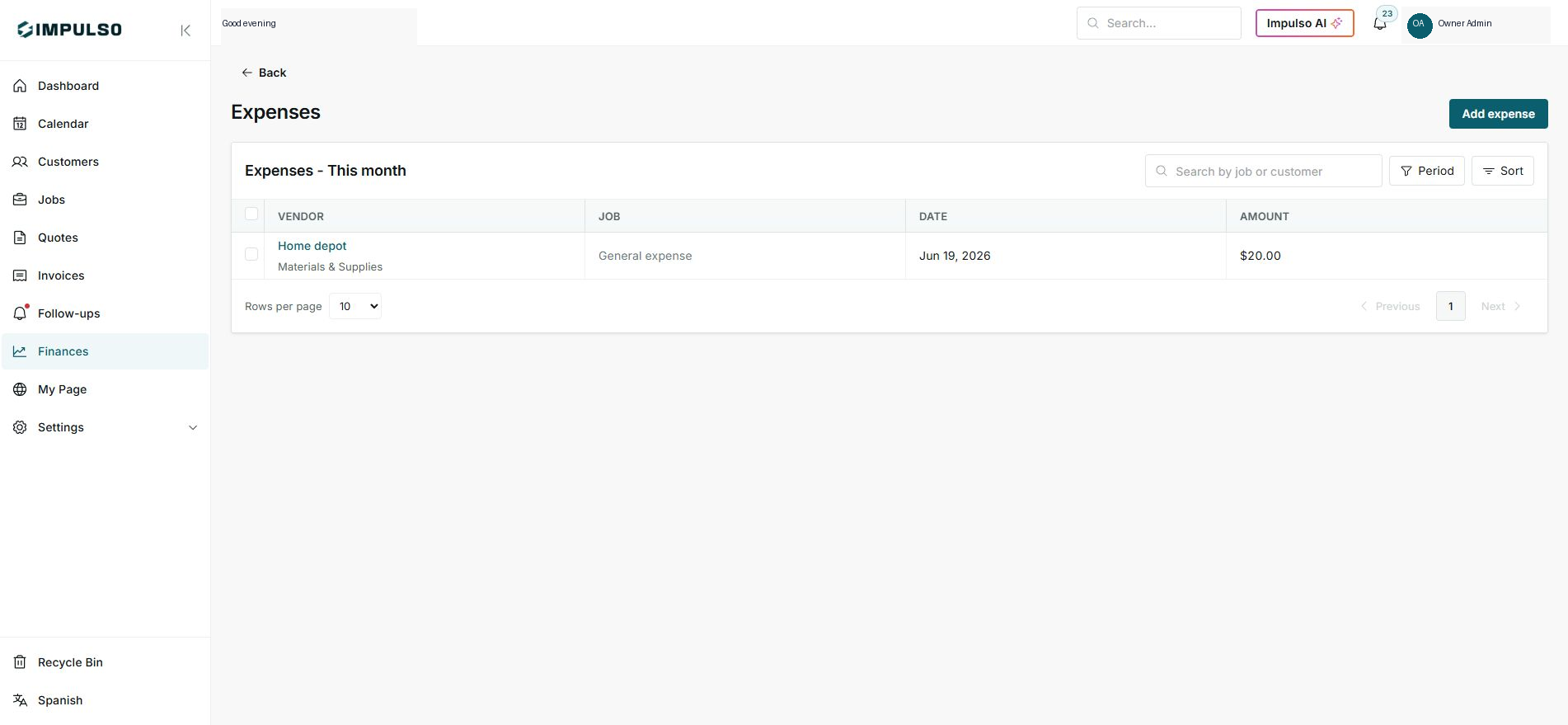
- Expenses appears in the expenses card and expense list.
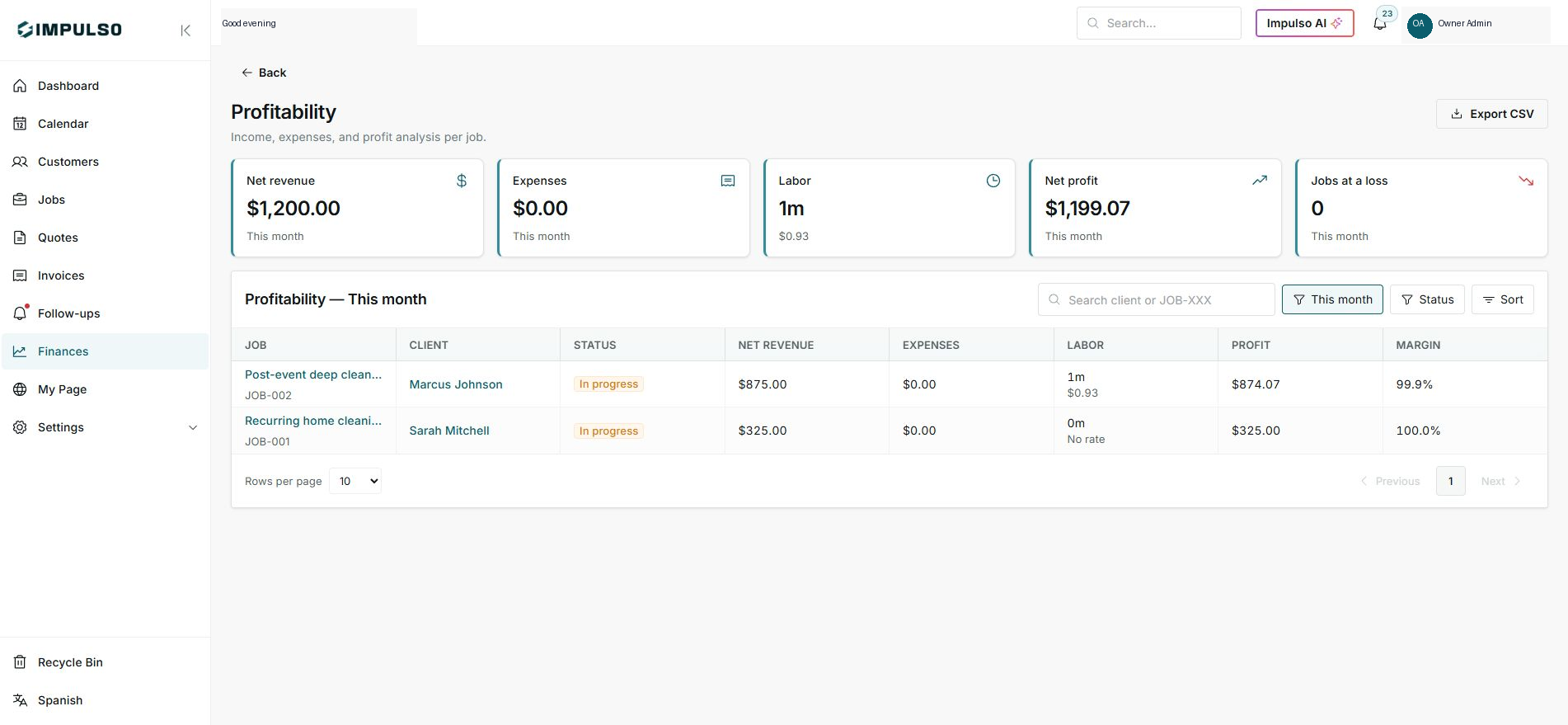
- Profitability combines revenue, expenses, labor, and profit.
- Sales tax pending separates collected tax for accounting review.
2. Separate collected, invoiced, and pending
- Invoiced is what already appears on invoices.
- Collected is what has already been paid or recorded as a payment.
- Pending is money, tax, or work that still needs follow-up.
3. Calculate profit with costs
- Expense reduces profit.
- Labor also reduces profit when hours and rates exist.
- Profit is what remains after recorded costs.
Statuses and options you may see
- Collected
Means: Money already received or recorded as paid.
Next step: Compare it with pending invoices.
- Invoiced
Means: Amount created on invoices.
Next step: It does not always mean it has been collected.
- Pending
Means: Money, tax, or work that needs action.
Next step: Review it before closing the period.
- Expense
Means: Business or job cost.
Next step: Classify it by category.
- Profit
Means: Earnings after recorded costs.
Next step: Use it to evaluate pricing and productivity.