

Before you start
- Use My Page from an Owner/Admin account.
- Do not press Save, Delete, Publish, Copy link, Download, or Send when you are only reviewing.
- Public-facing data may be in English when the business serves customers in the United States.
1. Identify the public domain
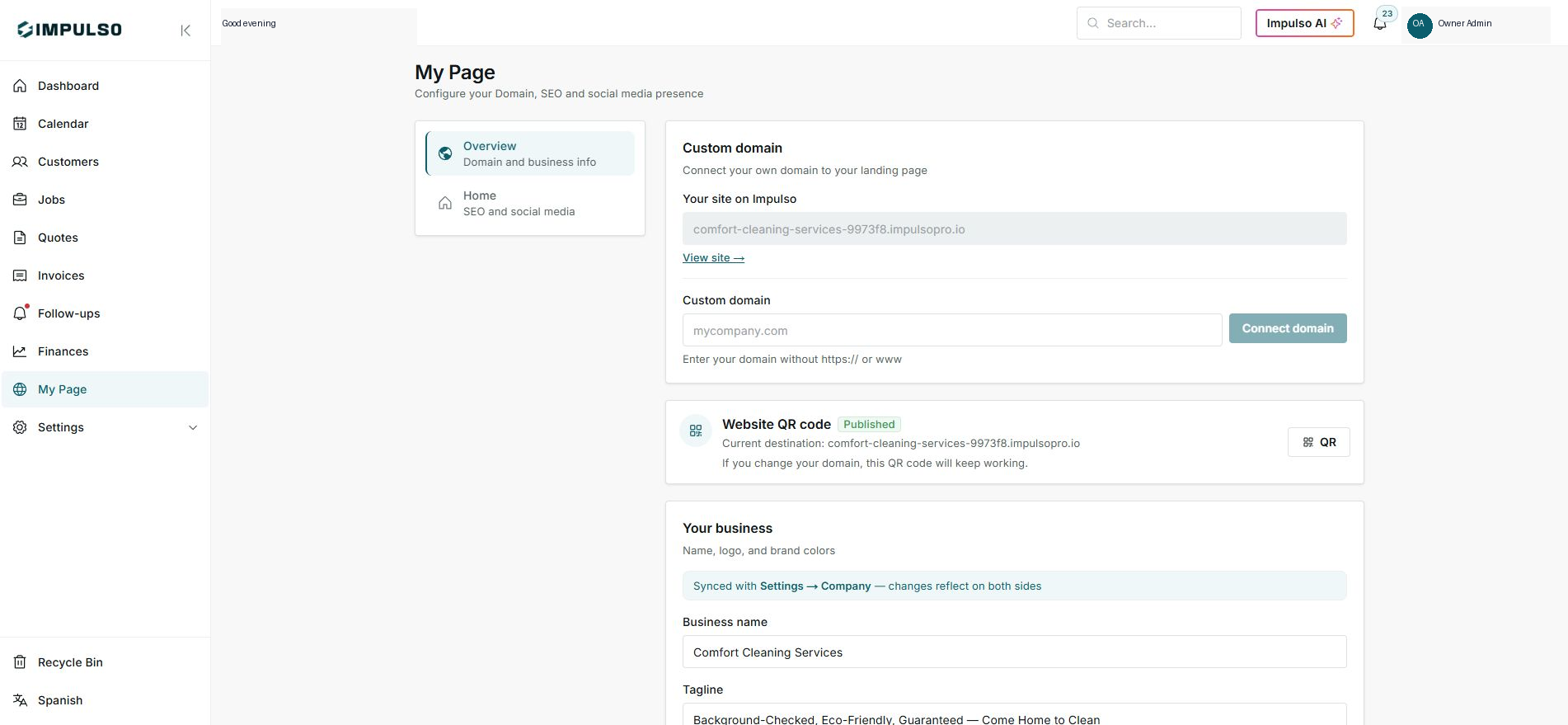
- In Settings, review Your site on Impulso Pro.
- That domain opens the current landing page.
- Connect a custom domain only when it is ready.
2. Identify the stable QR link
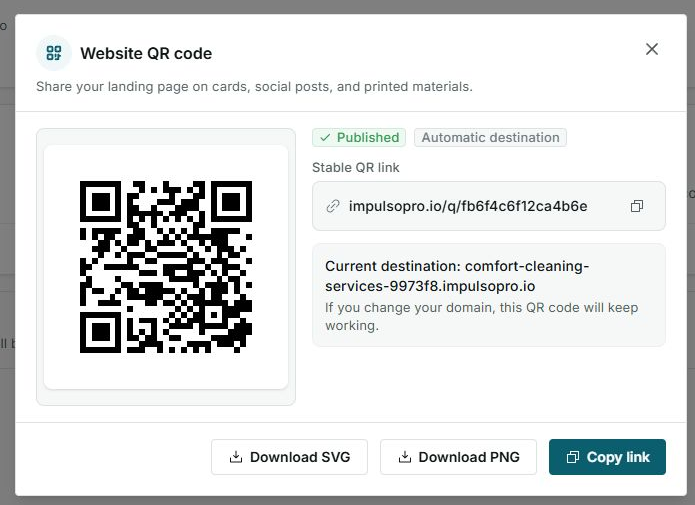
- The QR uses a stable short link.
- The current destination can be your Impulso Pro domain or a custom domain.
- The QR keeps working when you change the destination.
Statuses and options you may see
- Your site on Impulso Pro
Means: Current page domain.
Next step: Share it when the site is ready.
- Custom domain
Means: Business-owned domain.
Next step: Connect it only with domain access.
- Stable QR link
Means: Short link that keeps continuity.
Next step: Use it in print.
- Current destination
Means: Where the QR goes today.
Next step: Review it before printing.