

Before you start
- Use My Page from an Owner/Admin account.
- Do not press Save, Delete, Publish, Copy link, Download, or Send when you are only reviewing.
- Public-facing data may be in English when the business serves customers in the United States.
1. Open settings
- Go to My Page.
- Click Configure.
- Review the Overview tab.
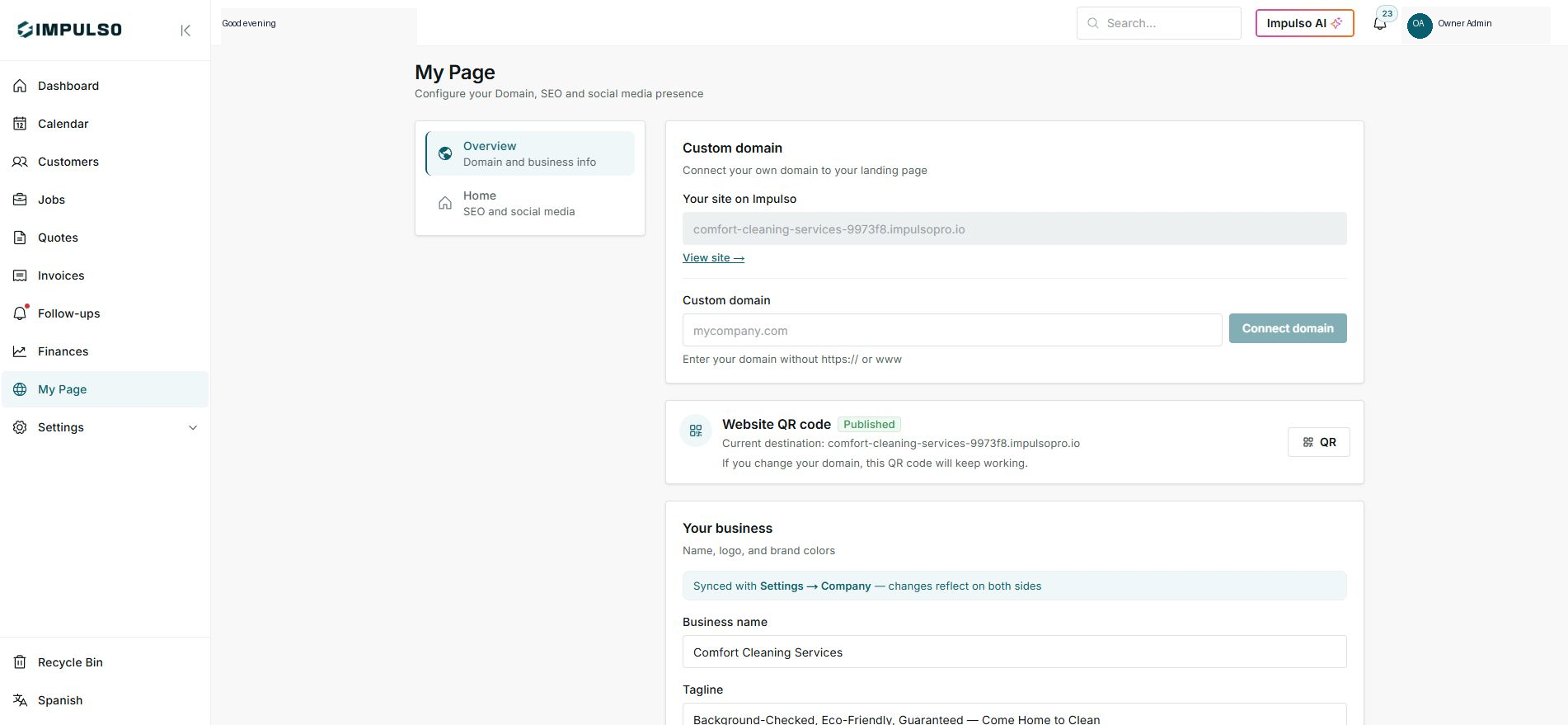
2. Review domain and QR
- The Your site on Impulso Pro field shows the current domain.
- The QR keeps a stable link even if the domain changes.
- Do not connect a domain when you are only reviewing.
3. Review business and brand
- Name, logo, and colors sync with Settings > Company.
- Change values only when you are ready to update the page.
- Press Save changes only at the end.
Statuses and options you may see
- Published
Means: The page is active.
Next step: Review the public site after saving changes.
- Connect domain
Means: Starts custom domain setup.
Next step: Use it only when the domain is ready.
- Synced
Means: The value also lives in Settings.
Next step: Change it carefully because it affects other places.
- Save changes
Means: Applies settings changes.
Next step: Do not press it during review.