

Before you start
- Use My Page from an Owner/Admin account.
- Do not press Save, Delete, Publish, Copy link, Download, or Send when you are only reviewing.
- Public-facing data may be in English when the business serves customers in the United States.
1. Review initial data
- Open My Page > Create if you do not have a site yet.
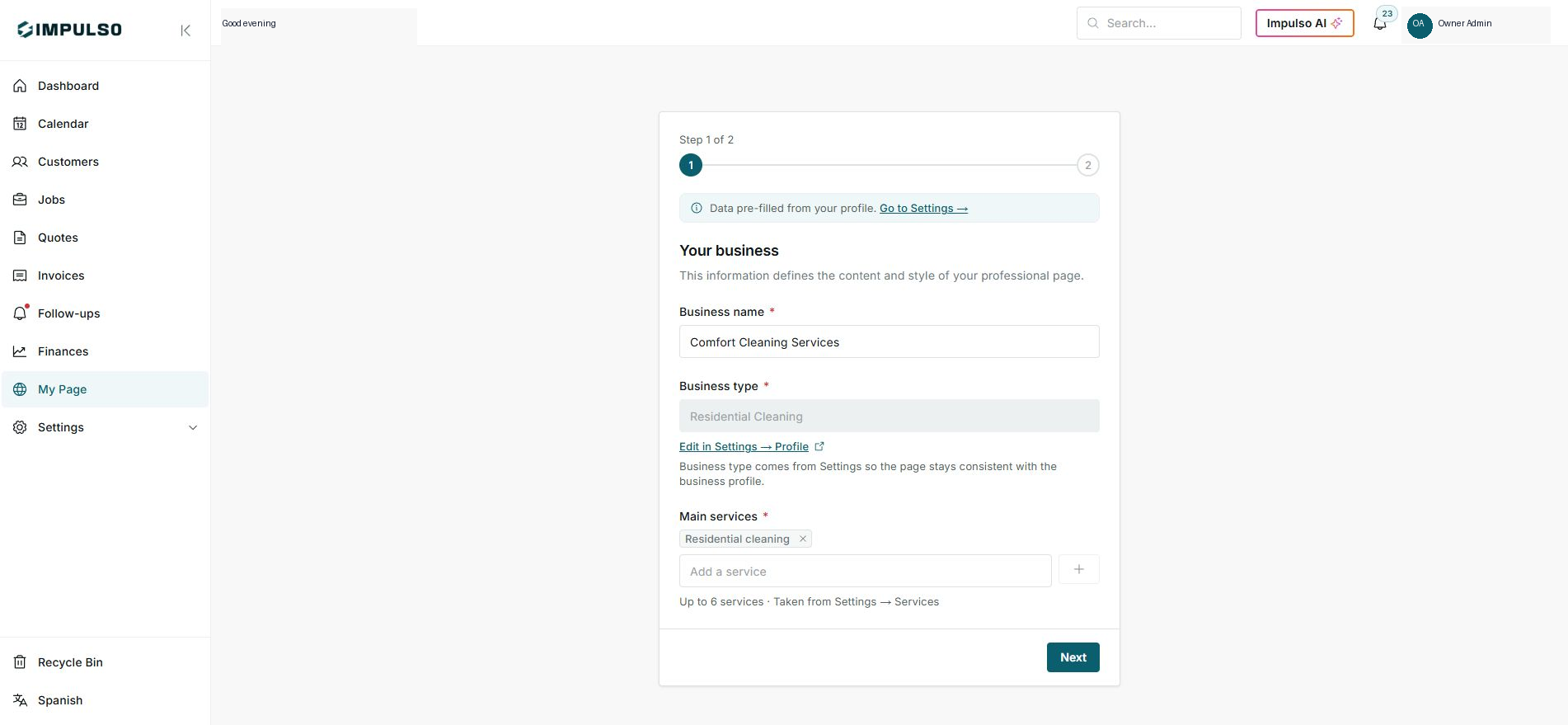
- Impulso Pro pre-fills business name, type, and services from Settings.
- Confirm services are correct for your customers.
2. Continue only when ready
- The flow shows Step 1 of 2.
- Use Next only when the business and services are ready.
- If something is wrong, open Settings and correct it first.
3. Confirm the created site
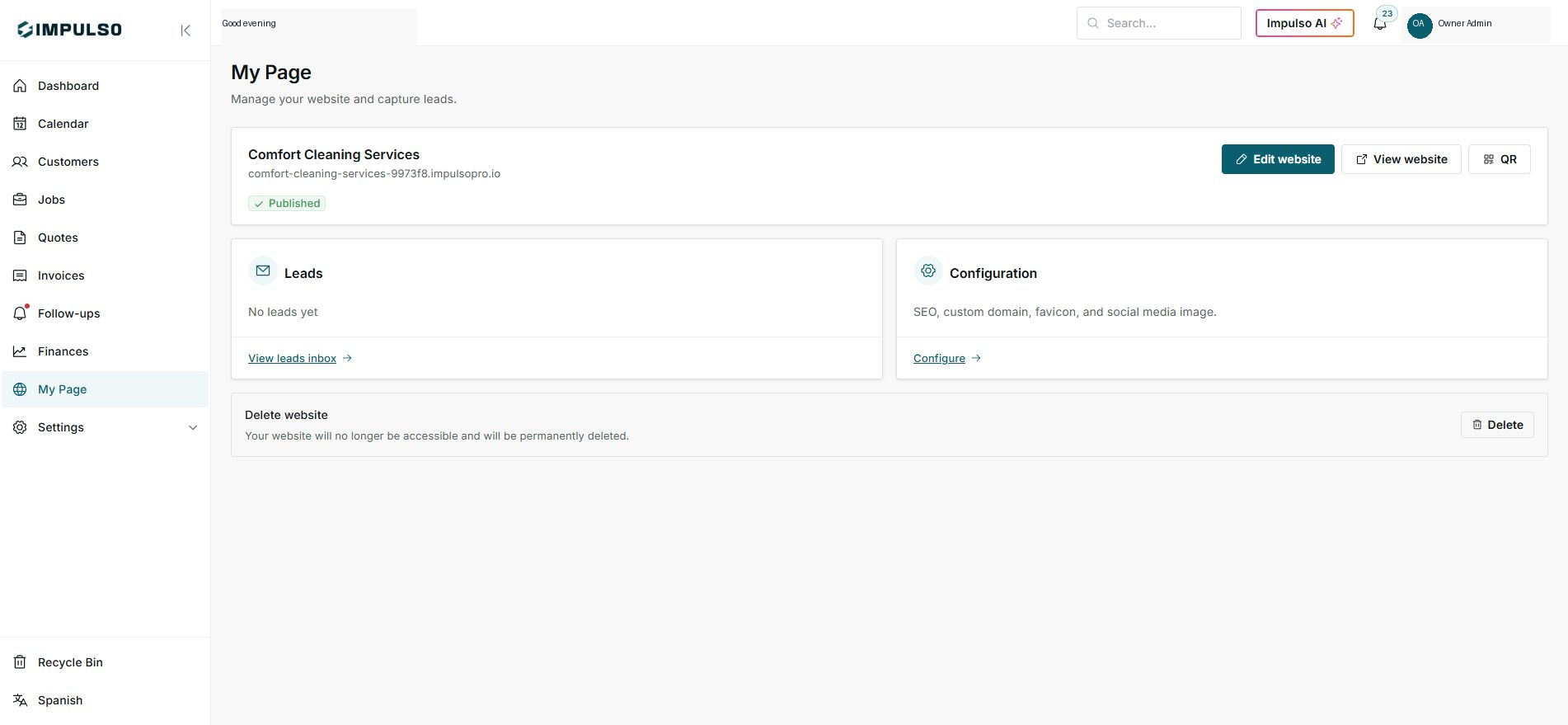
- When the page exists, the hub shows name, domain, status, and actions.
- From there you can edit, view, open QR, and review leads.
- Do not delete the site when you are only reviewing.
Statuses and options you may see
- Step 1 of 2
Means: First step of the assistant.
Next step: Review before continuing.
- Data pre-filled
Means: Impulso Pro pulls data from your profile.
Next step: Fix it in Settings if needed.
- Published
Means: The site already exists and is active.
Next step: Open View website to review it.
- Delete
Means: Deletes the site.
Next step: Do not use it during review.