

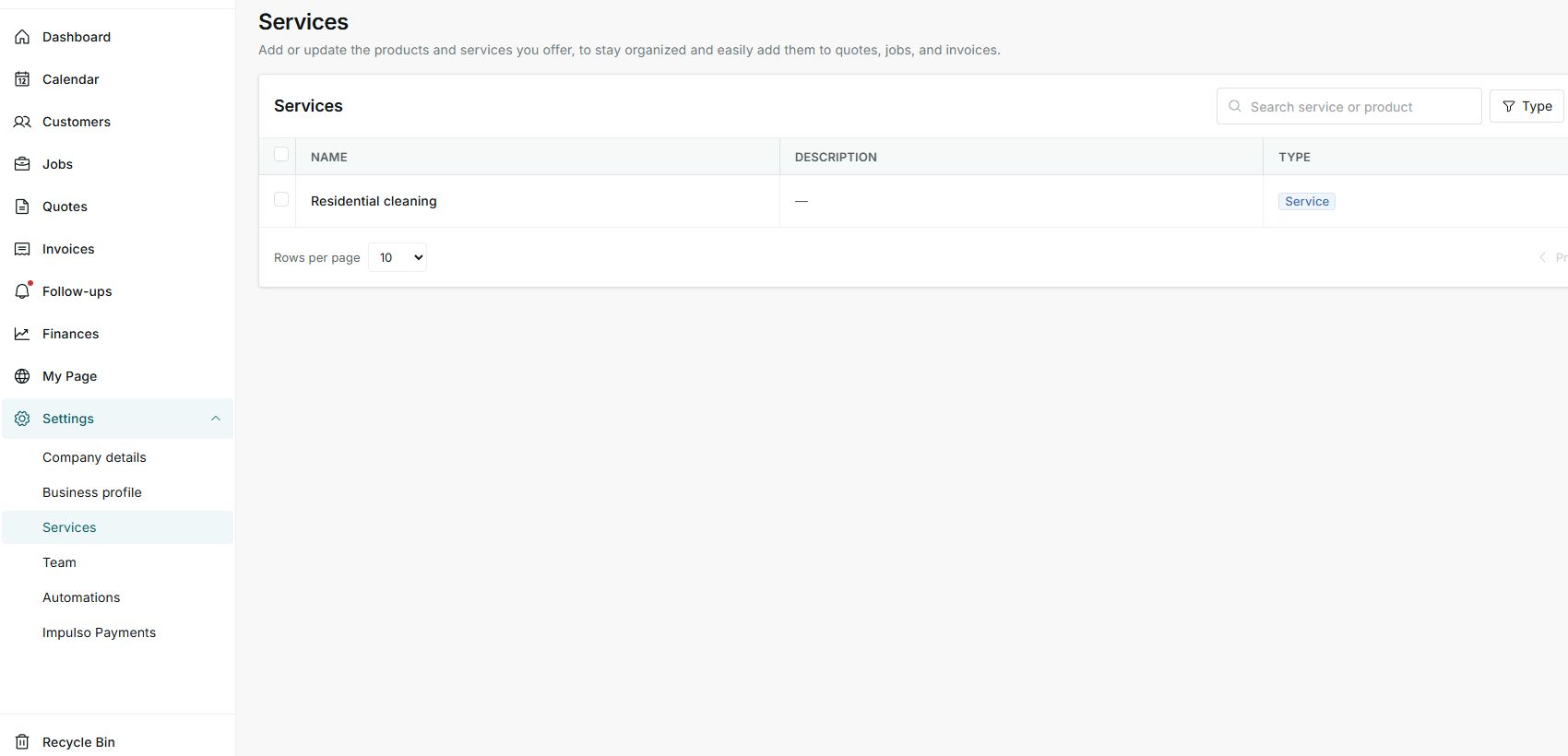
1. Open Services
- Go to Settings > Services.
- Review the saved services or products list.
- Use search and filters if you have many records.
2. Add a service
- Click Add.
- Choose Type, enter Name, and add a description that is useful for the team.
- Use clear names such as Gutter cleaning, HVAC tune-up, or Exterior painting.
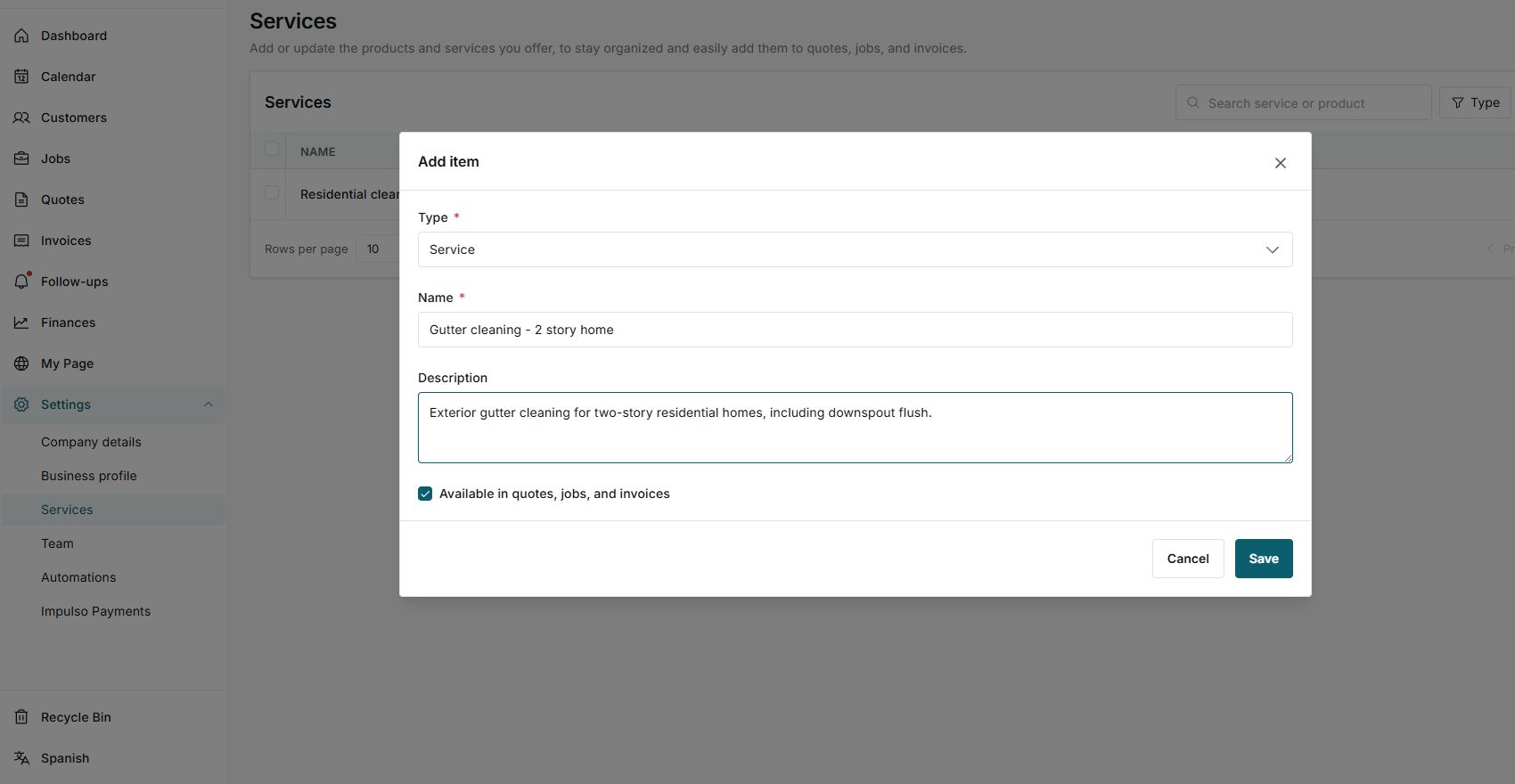
3. Confirm where it will be available
- Keep Available in quotes, jobs, and invoices enabled when you want to reuse it on documents.
- Turn it off only when the item should not appear in those flows.
- Click Save when you are ready to keep it.
States you may see
- Service
Item that can be used as a service on documents and jobs.
Next step: Use it for labor or repeated services.
- Available in quotes, jobs, and invoices
The item can be selected in those flows.
Next step: Keep it enabled when you want to reuse it.
- Error
The service could not be saved.
Next step: Review name, type, and connection before trying again.