

Before you start
- Have your business logo and colors ready.
- Do not save changes when you are only reviewing.
- Review invoice and quote views before applying the design.
1. Open the screen
- Go to Settings.
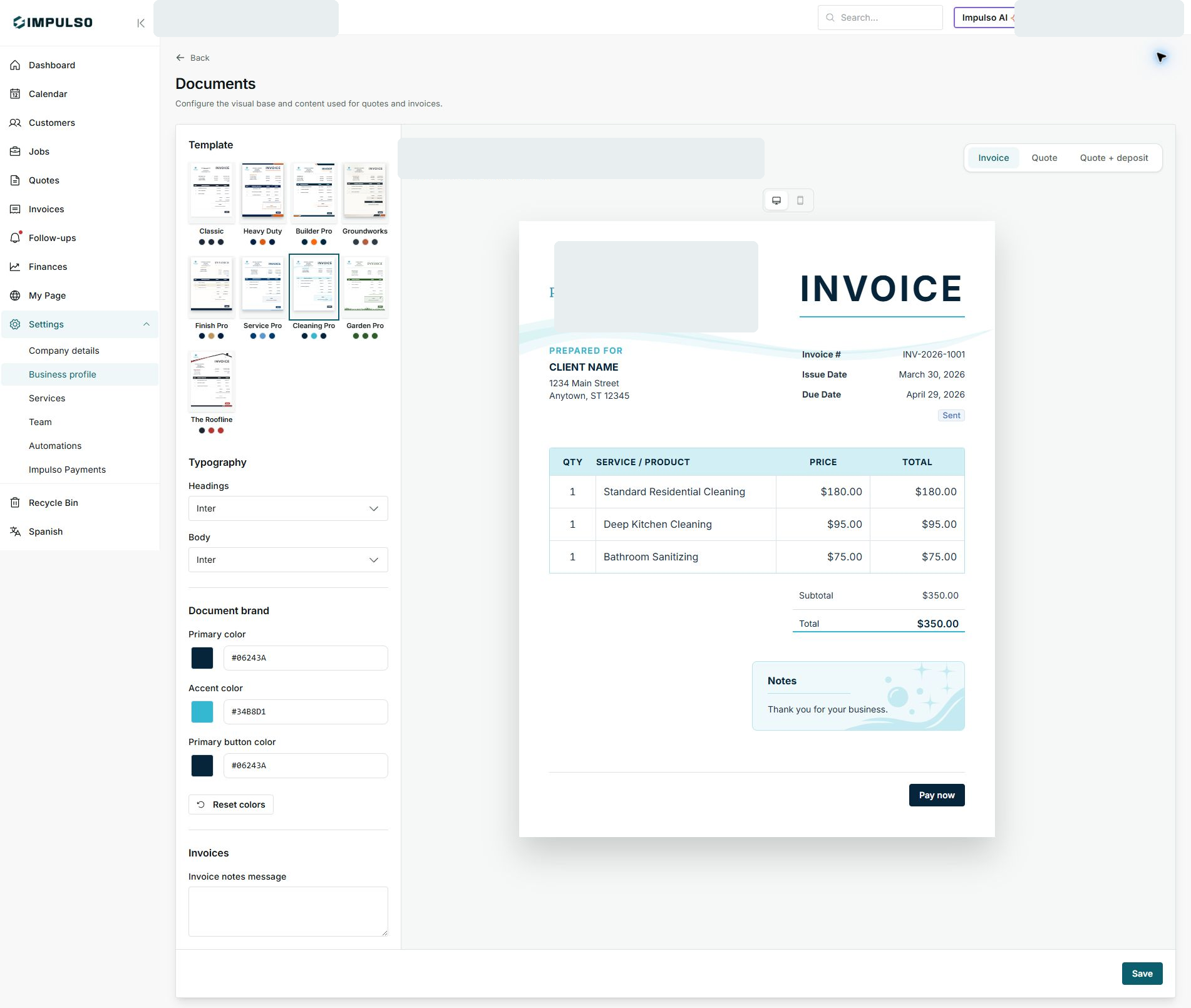
- Open Business profile and then Documents.
- Review templates, typography, colors, and preview.
2. Change document type
- Use Invoice, Quote, or Quote + deposit.
- Review each type before saving changes.
- Confirm logo, colors, and buttons look right.
3. Save when ready
- Adjust messages and styles in the left column.
- Review the preview in the center.
- Click Save only when the design is ready.
States and options you may see
- Invoice
Means: Shows how invoices will look.
Next step: Review totals, notes, and payment button.
- Quote
Means: Shows how quotes will look.
Next step: Review terms, services, and design.
- Save
Means: Applies changes to future documents.
Next step: Use it only when everything is reviewed.