

Before you start
- Confirm you are in the correct account before saving changes.
- Do not save, send, collect, or archive when you are only reviewing.
- Use real United States service names such as roofing, gutters, HVAC, window cleaning, or exterior painting.
1. Why it happens
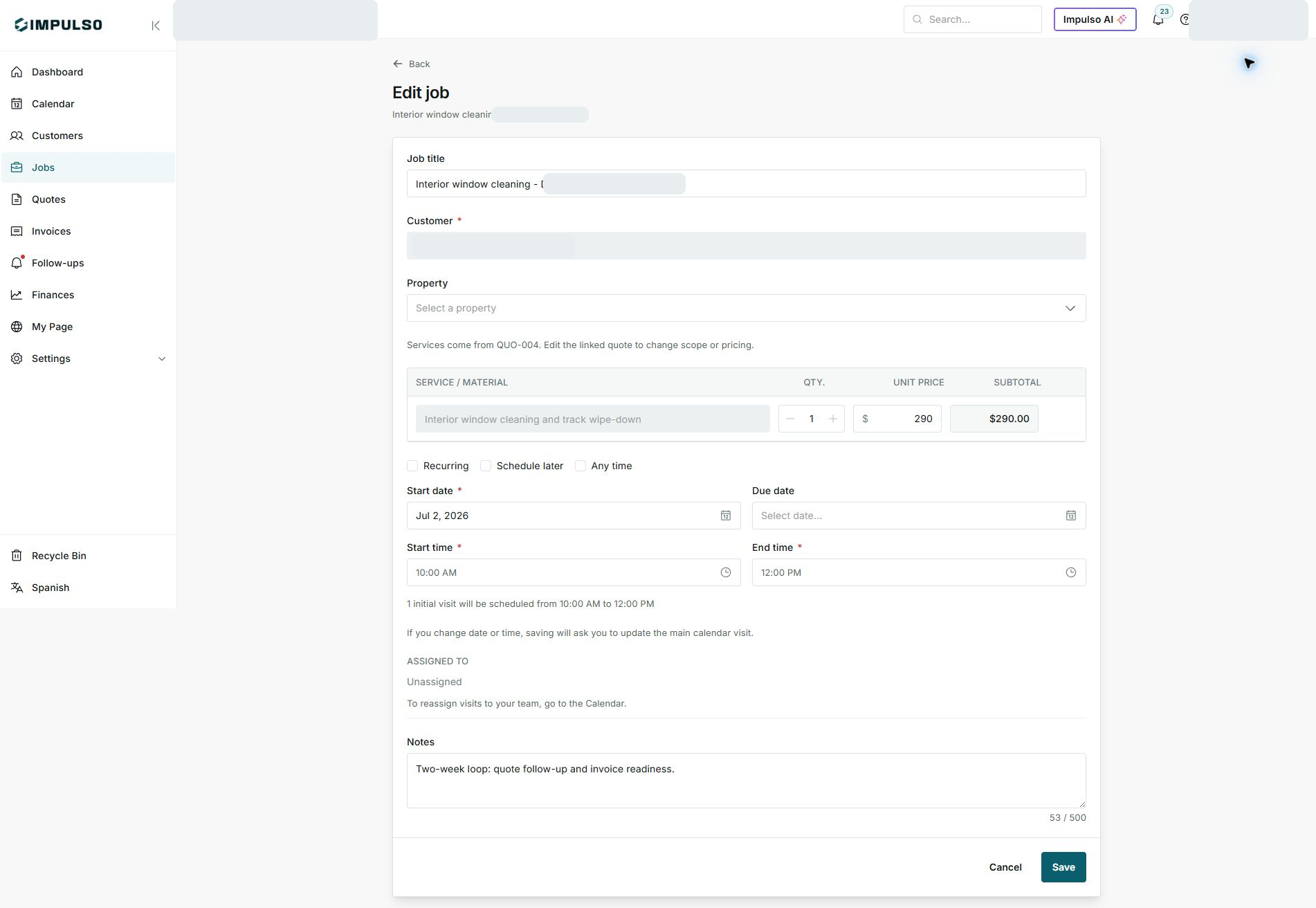
- When a job comes from a quote, services and prices come from that quote.
- The screen shows which quote the services came from.
- This helps preserve what the customer accepted.
2. How to change scope or price
- Open the linked quote from the job detail page.
- Review whether scope, price, or terms need to change.
- Avoid changing services directly on the job when they came from the quote.
3. What you can edit
- You can review dates, times, and notes when needed.
- For team and visits, use Calendar when the screen tells you to.
- Save only when the changes are ready.
States and options you may see
- Services come from QUO-004
Means: The services belong to the linked quote.
Next step: Change scope or pricing from the quote.
- Save
Means: Applies allowed changes.
Next step: Use it only when finished.
- Cancel
Means: Leaves without applying changes.
Next step: Use it if you were only reviewing.