

Before you start
- Use a job as the main record for confirmed service work.
- Use a visit when someone from the team needs to go to the site on a date or time window.
- Use a follow-up for a pending action, such as calling, emailing, confirming something, or checking payment.
- Some teams may say reminder when they mean follow-up.
1. Job: the service record
The job is where the main service operation lives. Think of it as the place for scope, customer context, progress, visits, invoices, payments, and important notes.
- Use it when the service is confirmed or accepted.
- Keep the information the team needs to complete the work there.
- Connect visits, invoices, and follow-ups to the job so the context stays together.
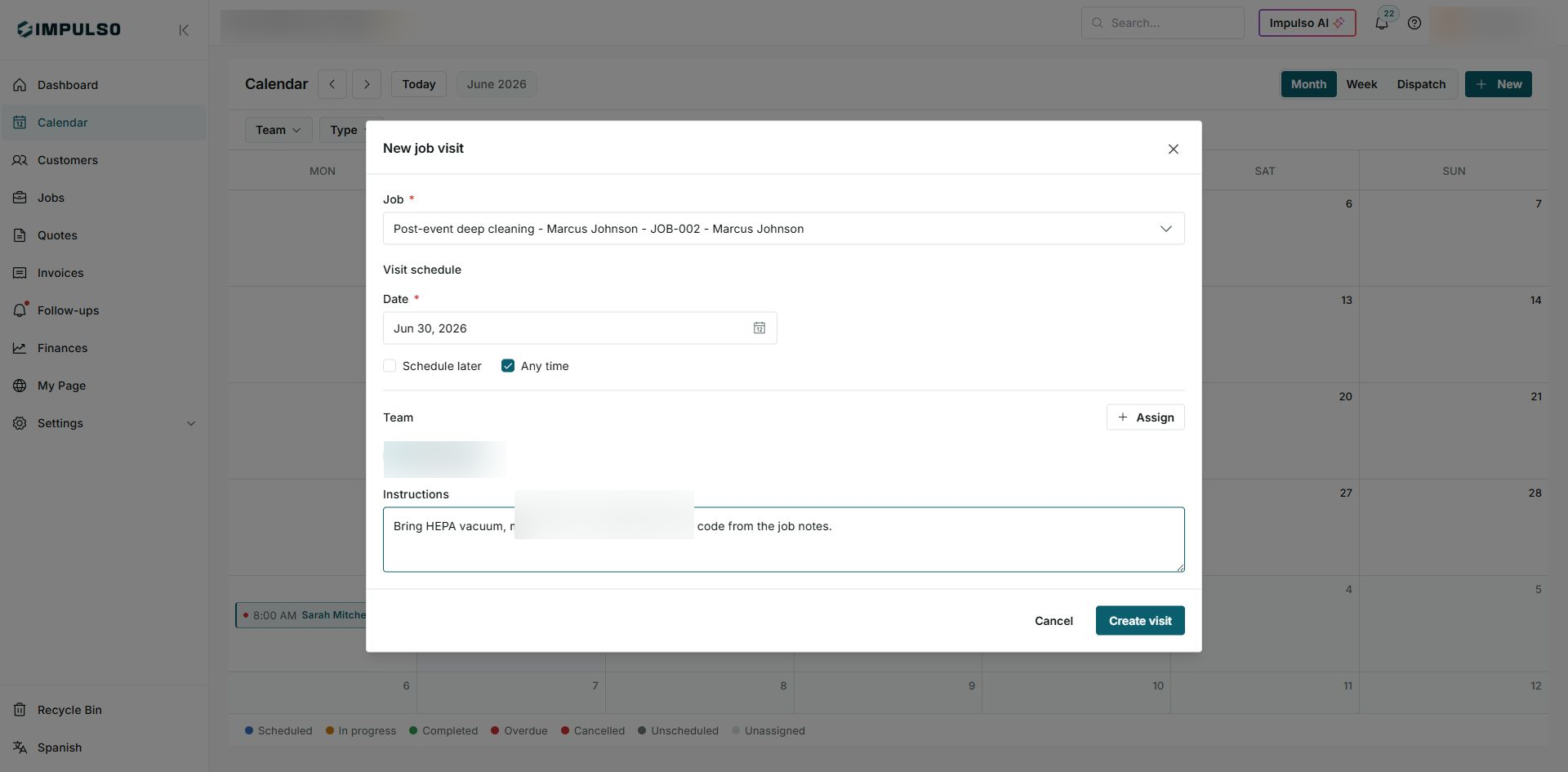
In this example, the visit is being prepared for an existing Marcus Johnson job.
2. Visit: a scheduled field stop
A visit is a scheduled field stop for the work. It can have a date, time, assigned team, address, and field instructions.
- Use it when the team needs to go to the customer's site.
- Review the time and status from the calendar.
- If a visit is linked to a job, open the detail to understand what service will be done.
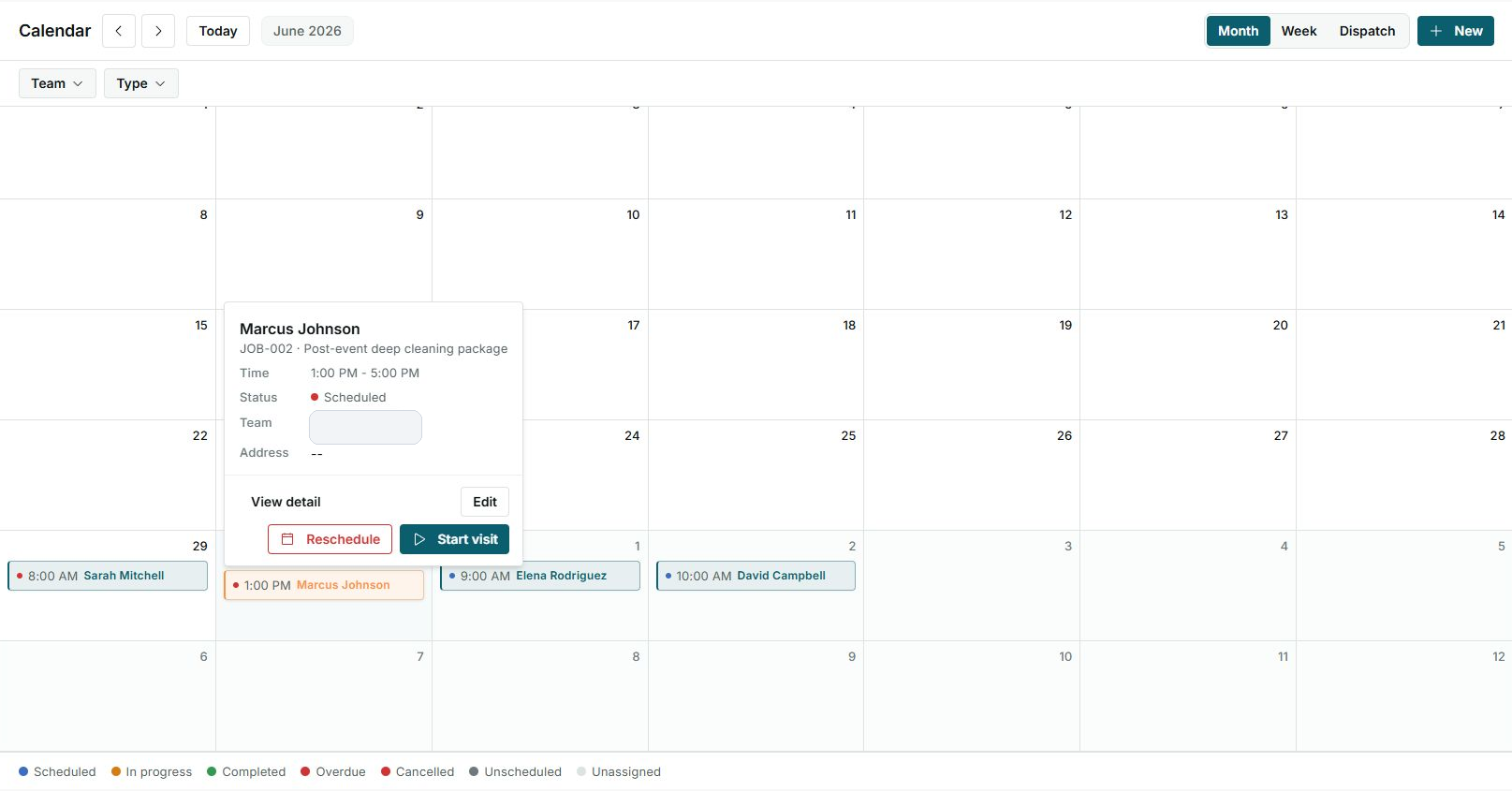
The visit shows time, status, and operational actions such as View detail, Reschedule, or Start visit.
3. Follow-up: the next pending action
A follow-up is a customer contact or review task. It does not replace the job or the visit; it helps the team remember the next step.
- Use it to call the customer, send an email, confirm a date, or review a balance.
- Link it to a customer, job, quote, or invoice when the follow-up needs context.
- Review the status to know whether it is overdue, due today, or upcoming.
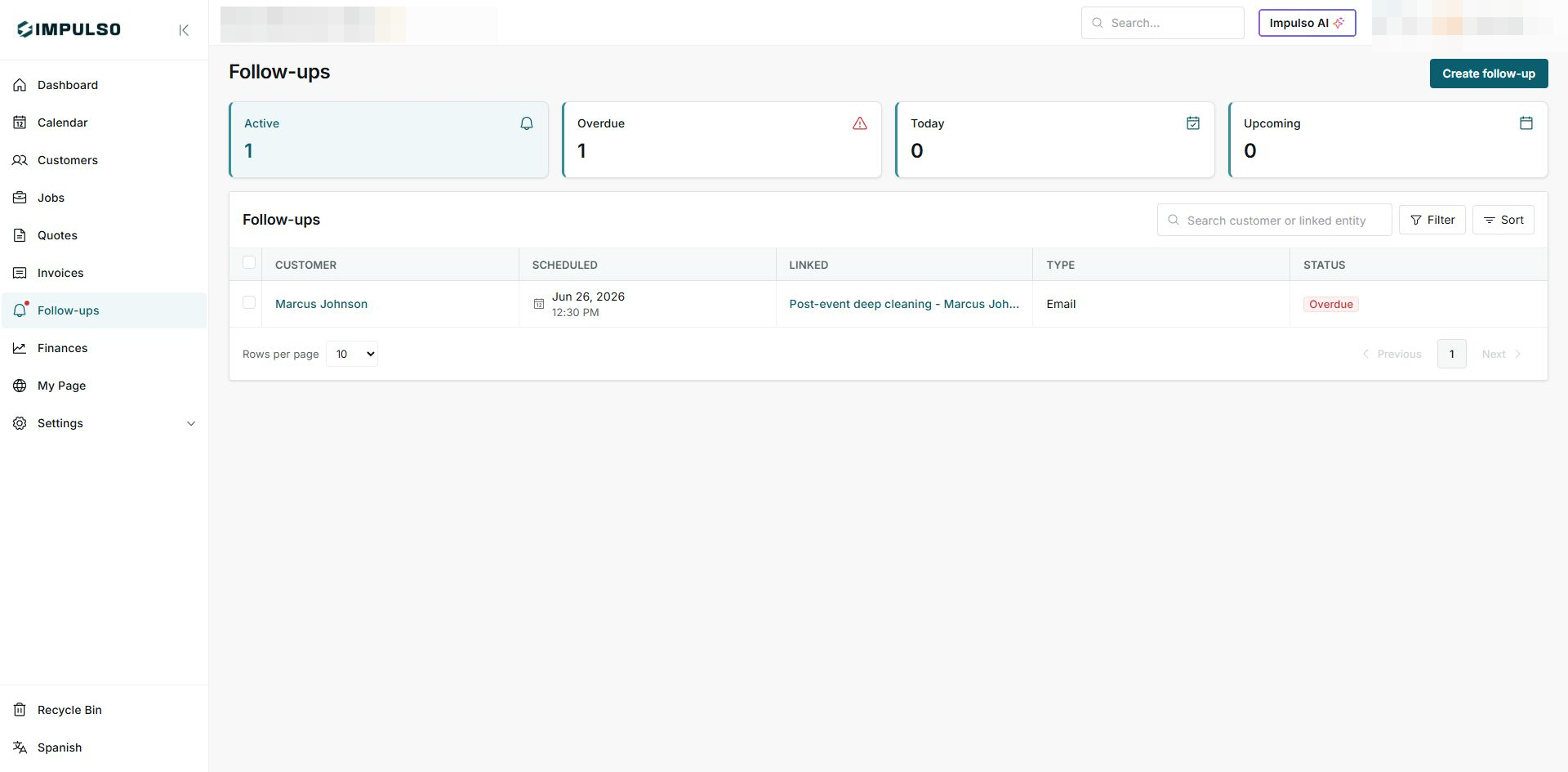
Here the follow-up is linked to a job and appears with an Overdue status.
4. How they connect
- The job stores the service being performed.
- The visit schedules a team trip for that job.
- The follow-up reminds the team about the next action before or after the visit.
- When everything is linked, you can open each part without losing customer context.
5. Which one to use
- If you are managing the full service, use Job.
- If you are scheduling a team trip, use Visit.
- If you only need to remember a call, email, or review, use Follow-up.