

1. When to use a direct invoice
- Use a direct invoice when the charge does not need to be connected to a job.
- Select the customer and leave Job (optional) empty.
- Add services, quantities, price, due date, discount, or tax as needed.
- Save the invoice when the information is ready.
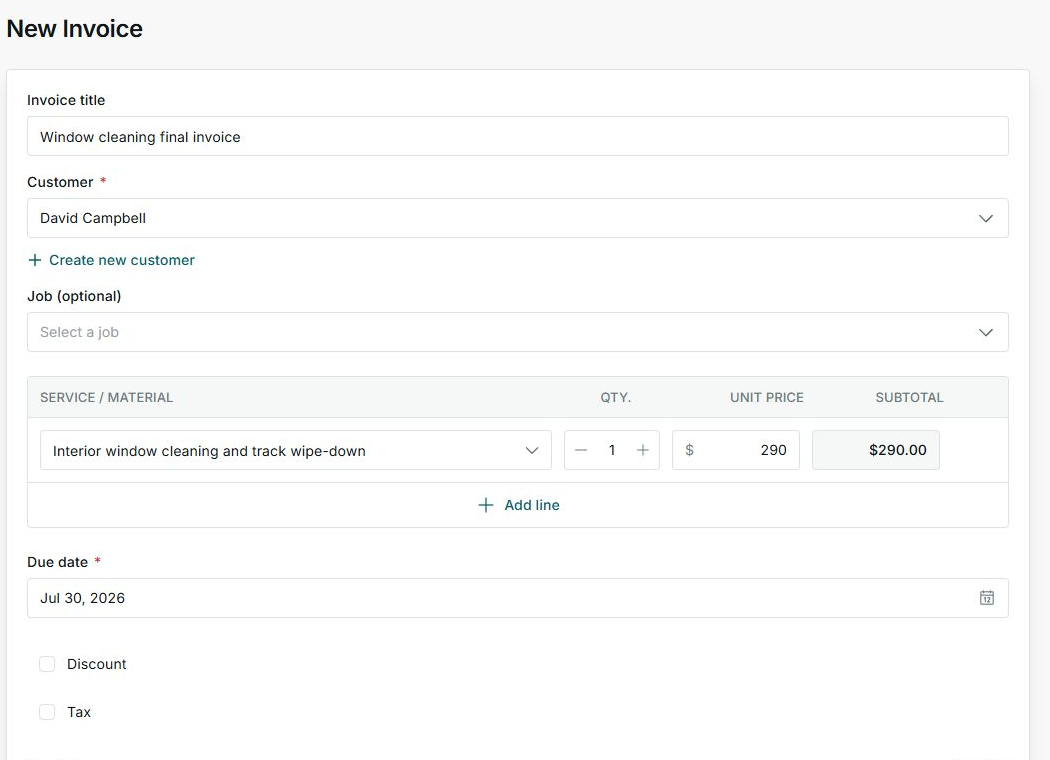
2. When to use an invoice from a job
- Use an invoice from a job when the job already exists or came from an accepted quote.
- The invoice keeps the associated job context.
- If it came from a quote, you also see the associated quote.
- This helps you review billing, job work, and quote context without mixing records.
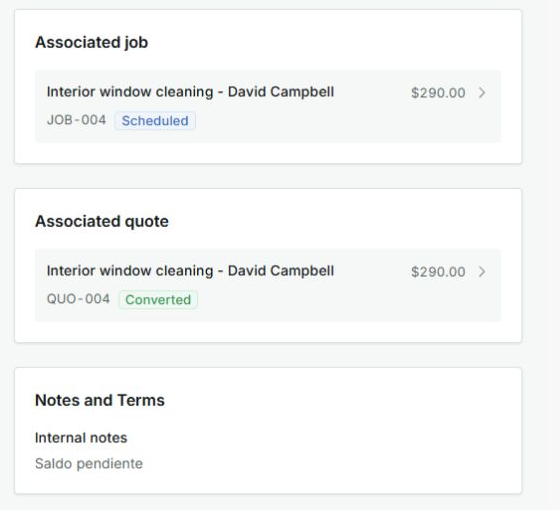
3. Decide which one to create
- Direct invoice
Best for one-off charges, small services, or sales that you do not need to manage as a job.
- Invoice from job
Best when the invoice should stay connected to the operational job and original quote.
States you may see
- Scheduled
Means: The associated job has a planned visit or date. Next step: Review the job if you need to change the schedule.
- Converted
Means: The quote was already converted into a job. Next step: Manage billing from the invoice and work from the job detail.