

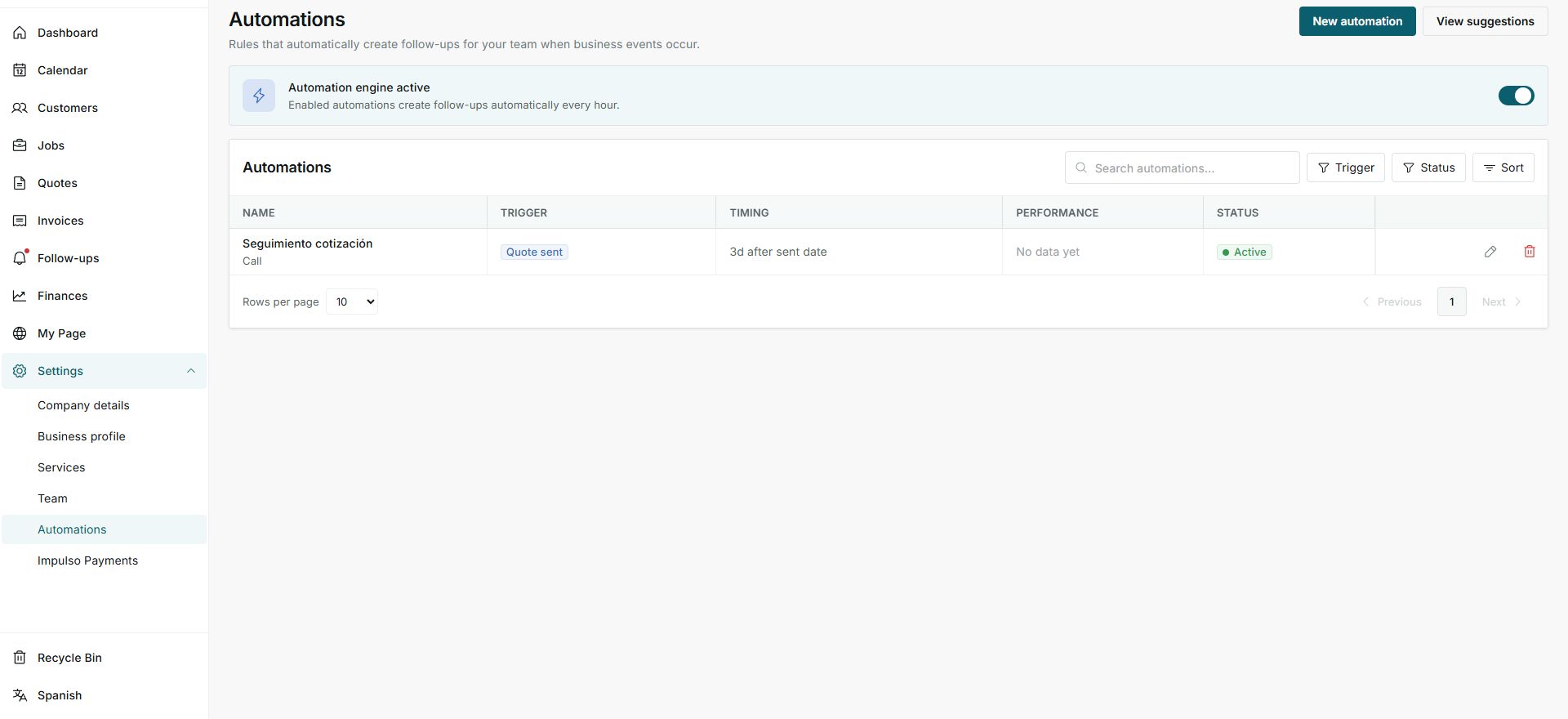
1. Review the engine and list
- Go to Settings > Automations.
- Confirm whether the automation engine is active.
- Review name, trigger, timing, performance, and status.
2. Understand one rule
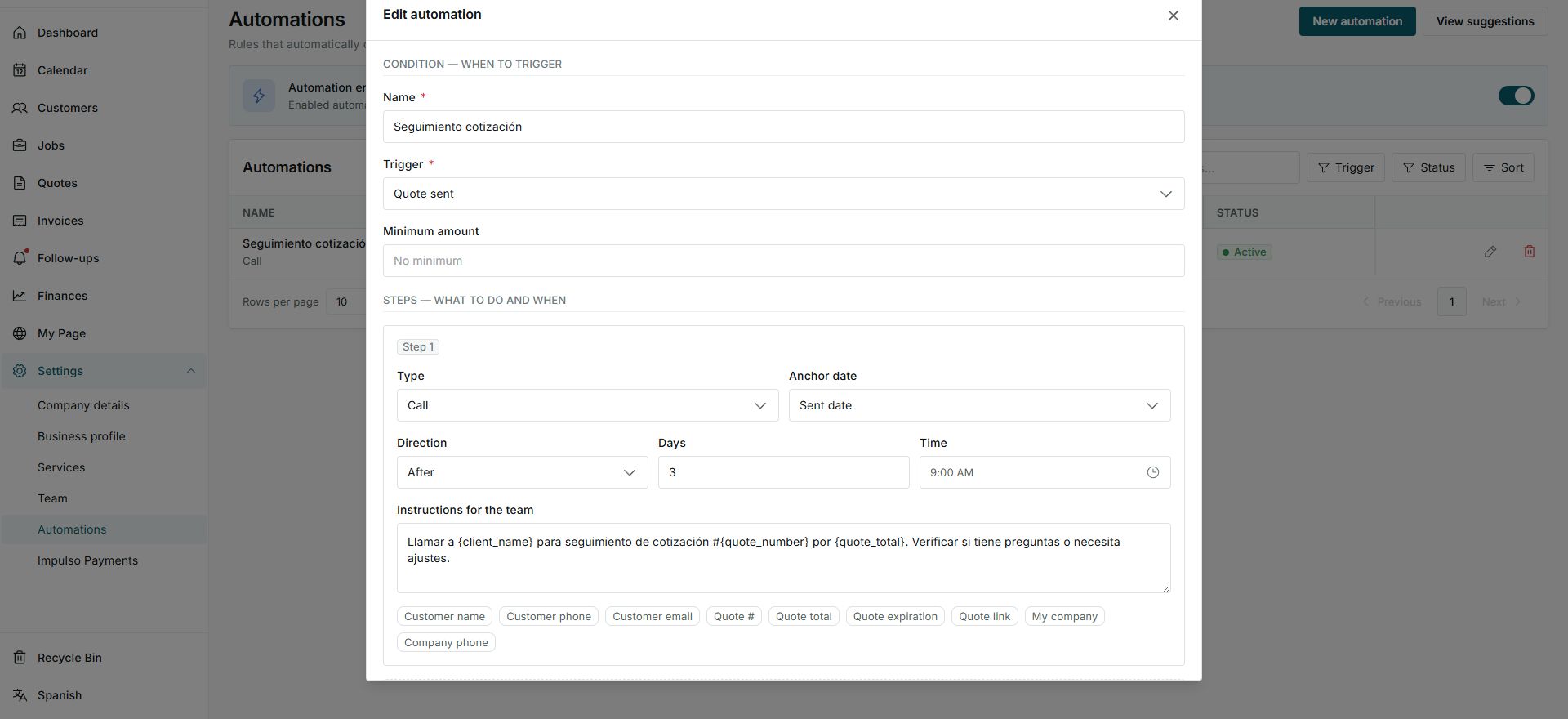
- A rule combines a trigger with one or more steps.
- In the example, Quote sent creates a call follow-up 3 days after the sent date.
- The Active state means the rule can create follow-ups automatically.
3. Review before changing
- Open the rule to read instructions, timing, and available variables.
- Do not change the engine or save a rule without reviewing how it affects your team.
- Use performance to confirm whether the automation is creating follow-ups.
States you may see
- Automation engine active
Enabled rules can create follow-ups every hour.
Next step: Review the list before turning it off.
- Active
The rule can run when its trigger happens.
Next step: Confirm instructions and timing are correct.
- No data yet
There are no performance results for that rule yet.
Next step: Wait for events or review later.