

Before you start
- Check the Customers list before using New customer.
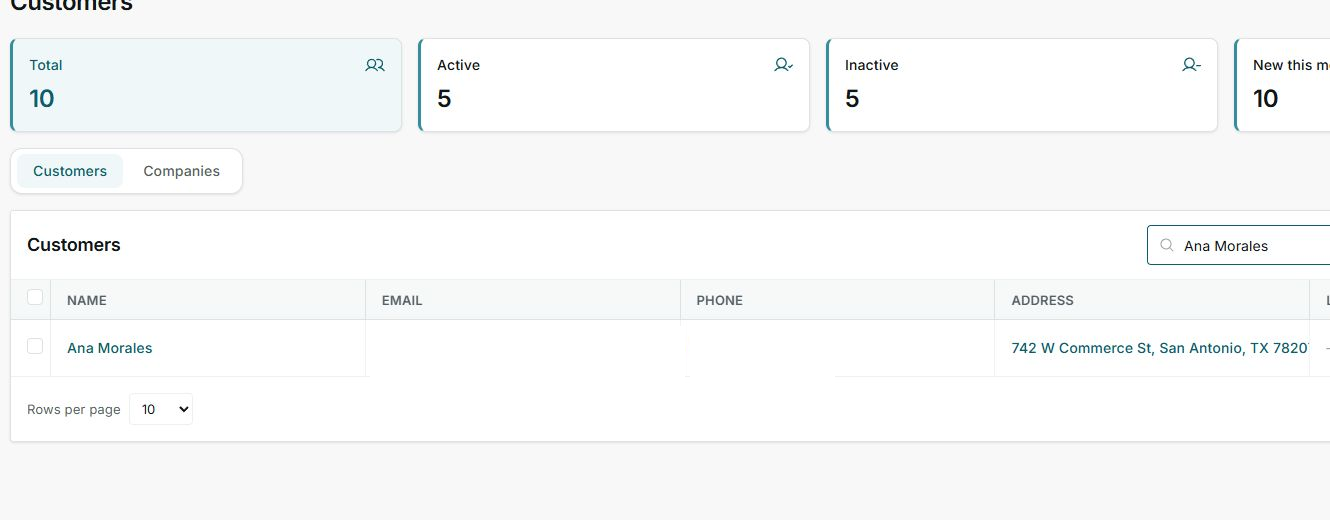
- Search by name, email, phone, or address.
- If you find a match, open the existing customer instead of creating another one.
1. Search for the existing customer
- Go to Customers.
- Use the table search.
- Compare the matching row with the customer information you have.
2. Create only if it does not exist
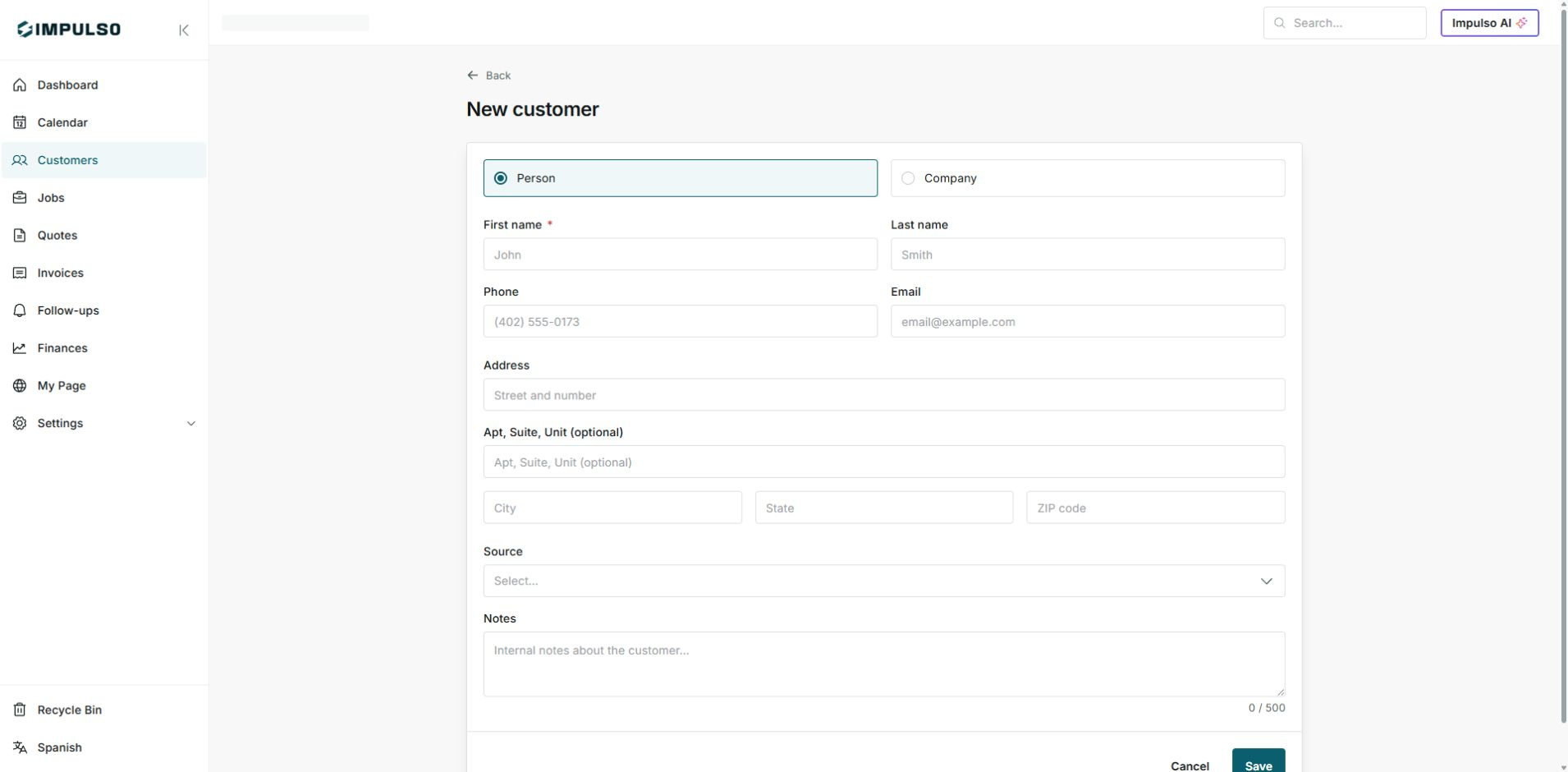
- If you do not find a match, open New customer.
- Choose Person or Company.
- Enter name, phone, email, and address carefully.
- Before Save, check that this is not the same customer with another phone or address.
Statuses and options you may see
- Customers
Meaning: List of registered people.
Next step: Search here before creating a new one.
- Companies
Meaning: List of registered businesses.
Next step: Check here if the customer works as a company.
- Active / Inactive
Meaning: The customer may be active or archived.
Next step: Review both before duplicating.
- Save
Meaning: Creates the customer with the entered information.
Next step: Use it only after confirming the customer does not exist.