

Before You Start
- Confirm the lead is real and worth saving as a customer.
- Check whether a customer already has the same phone or email to avoid duplicates.
- Do not convert leads marked suspicious until you review them first.
1. Open The Lead
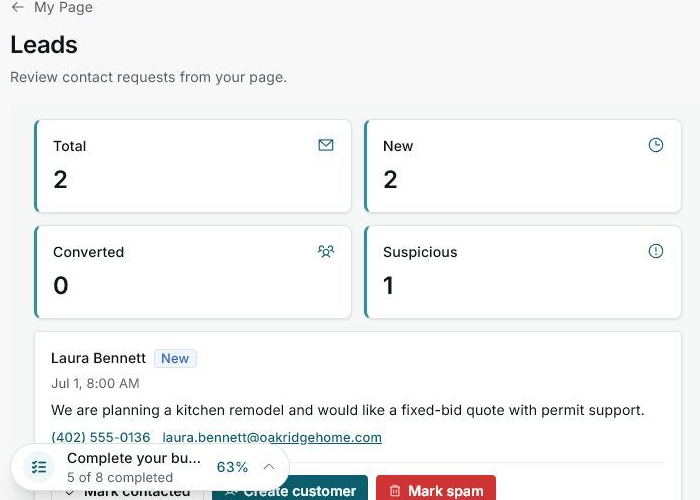
- Go to My Page > Leads.
- Find a lead with the New badge and no Suspicious badge.
- Read the message to confirm the work fits your business.
2. Create The Customer
- Click Create customer.
- Impulso Pro uses the lead name, phone, email, and message to start the profile.
- If there is a possible duplicate, open the existing customer instead of creating a new one.
3. Continue From The Customer Profile
- Complete any missing customer details.
- Create a quote if the customer needs pricing.
- Use jobs or follow-ups when there is already an active conversation.
Statuses And Options You May See
- New
Means: the lead has not been handled yet.
Next step: review it and contact the customer.
- Create customer
Means: the lead can be saved as a customer.
Next step: use it only after confirming the request is valid.
- Suspicious
Means: the lead needs extra review.
Next step: do not convert it until you validate the message.
- Converted
Means: a customer already exists from that lead.
Next step: open the profile to quote or follow up.