

Before you start
- Review expense categories and amounts before sharing the report.
- Choose the correct tax year before downloading or saving a copy.
- Share this file only with your CPA or the person preparing your taxes.
1. Open the CPA report
- Go to Finances > Export for CPA.
- Confirm the Tax year you want to review.
- Before downloading, read the summary to make sure the totals look right.
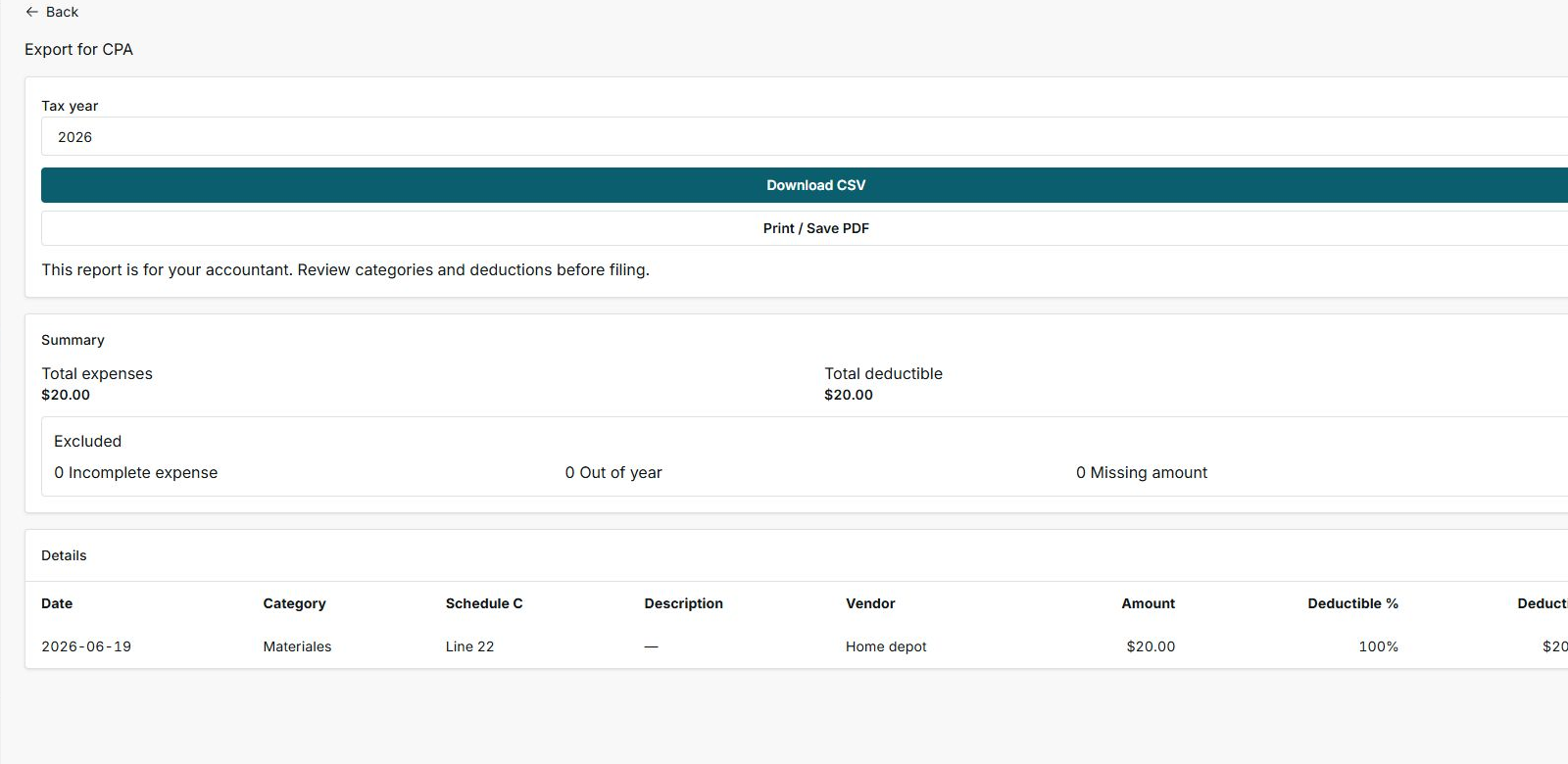
2. Review summary, excluded items, and details
- Use Total expenses to see the full amount recorded for that year.
- Use Total deductible to see how much is included based on the category.
- Review Excluded before sending the file: it shows incomplete expenses, out-of-year expenses, or missing amounts.
- In Details, check date, category, Schedule C, vendor, amount, and deductible percent.
3. Download only when you are ready
- Click Download CSV when you want to open the file in Excel, Google Sheets, or share it with your CPA.
- Use Print / Save PDF when you need an easy review copy or internal record.
- After downloading, go back to expenses if you find a category or amount that needs correction.
Statuses and options you may see
- Tax year
Meaning: Controls which year is included in the report.
Next step: Change it before downloading if you are preparing another tax year.
- Download CSV
Meaning: Creates a financial row file to review outside Impulso Pro.
Next step: Use it when your CPA asks for a spreadsheet.
- Print / Save PDF
Meaning: Opens a version you can print or save as a PDF from the browser.
Next step: Use it for visual review or internal records.
- Total expenses
Meaning: Sum of expenses included in the visible year.
Next step: Compare it with your receipts or bank statements.
- Total deductible
Meaning: Amount included as deductible based on the recorded category.
Next step: Review categories if this total does not match what you expected.
- Excluded
Meaning: Expenses that do not enter the report because data is missing or they are outside the year.
Next step: Fix them from Expenses before sharing the file.
- Schedule C
Meaning: A guide line for organizing US business expenses.
Next step: Confirm the final classification with your CPA.
- Deductible %
Meaning: Category percentage that counts as deductible.
Next step: Review categories like Business Meals, which may not be 100%.