

Before you start
- Confirm you are on the right job before editing or creating documents.
- Do not save, edit, invoice, or add visits when you are only reviewing.
- Use real US-market service names such as roofing, gutters, HVAC, or exterior painting.
1. Identify the link
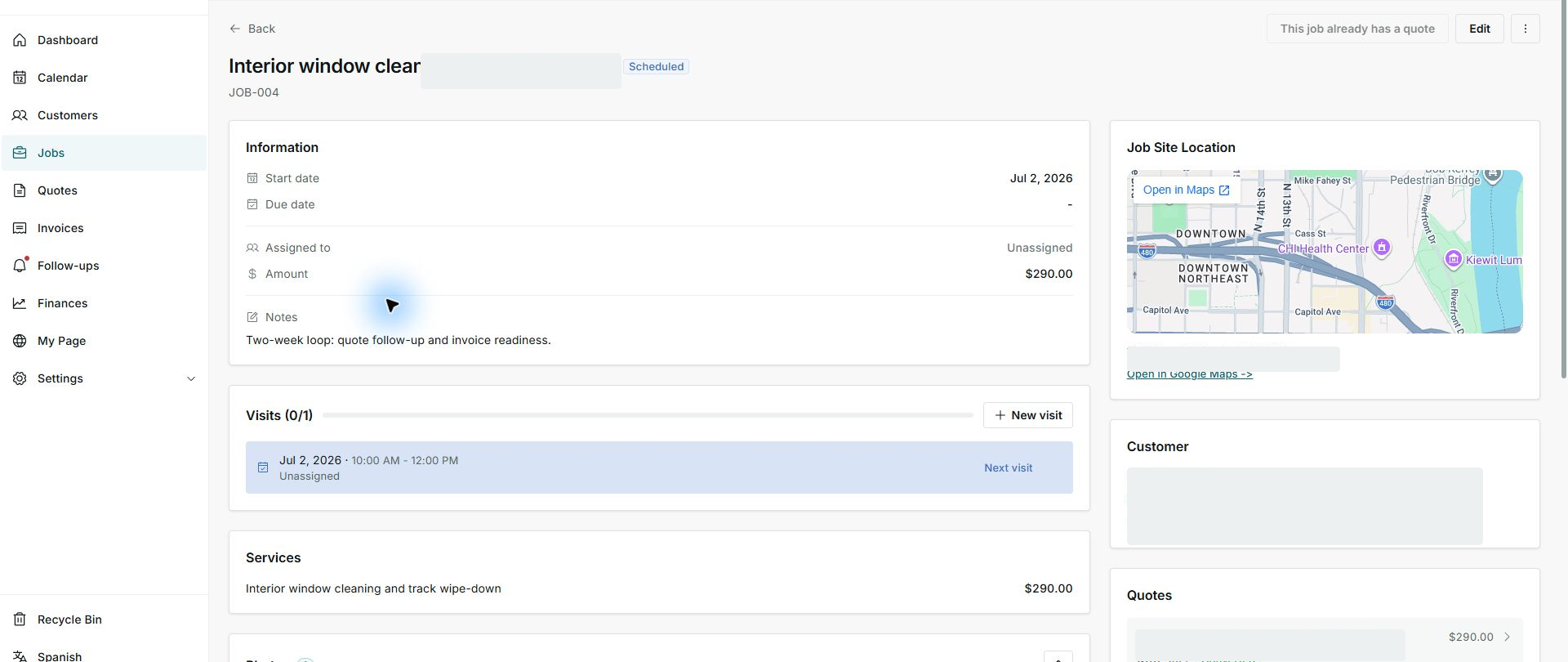
- Open the job detail.
- Look for This job already has a quote.
- Review the Quotes card.
2. Review services and amount
- Compare job services with the linked quote.
- Confirm the amount matches what was agreed.
- Avoid creating another job from the same quote.
3. Operate from the job
- Use the job for visits, assignment, and follow-up.
- Use the quote as the agreement reference.
- Do not change locked services when they come from the quote.
Statuses and options you may see
- This job already has a quote
Meaning: The job is connected to a quote.
Next step: Work from the job and use the quote as reference.
- Converted
Meaning: The quote has already become a job.
Next step: Do not convert it again.
- Scheduled
Meaning: The job has a date or visit.
Next step: Confirm calendar and assignment.
- Unassigned
Meaning: No person is set to execute.
Next step: Assign when you know who will go.