

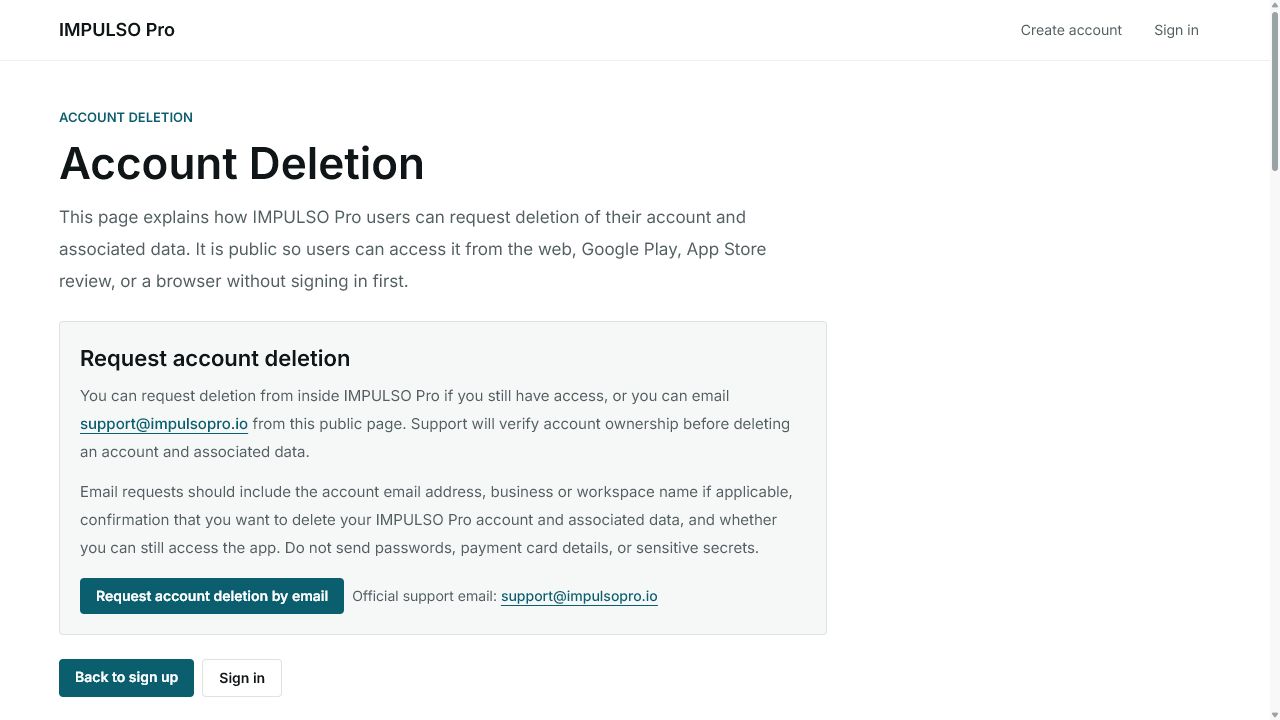
1. Open Account Deletion
- Open the public Account Deletion page.
- Read the summary before starting a request.
- Confirm whether you can still access Impulso Pro or need to ask support by email.
2. Prepare the information
- Use the account email and business or workspace name.
- Confirm that you want to delete the account and associated data.
- Do not send passwords, payment card details, or sensitive secrets.
3. Send the request only when ready
- If you can sign in, follow the path shown inside Impulso Pro.
- If you cannot sign in, use the official support email shown on the page.
- Sending the request can start support review, so this article does not send the email for you.
Options you may see
- Request account deletion by email
Means: Opens an email to request deletion.
Next step: Use it only when you are sure you want to start the request.
- Sign in
Means: Opens Impulso Pro sign-in if you still have access.
Next step: Use it to request from your account when possible.
- Back to sign up
Means: Returns to account creation.
Next step: Use it if you reached this page by mistake.
- Support email
Means: Shows the official support email.
Next step: Include account and business details, but not passwords or cards.