

Before you start
- Open the correct quote from the list, customer, job, or related follow-up.
- If you plan to take action, confirm the status and total first.
- Do not edit, send, or convert the quote until you finish reviewing it.
1. Review status and summary
- Confirm quote number and customer.
- Read the status: Draft, sent, viewed, accepted, rejected, expired, or converted.
- Review Total quoted, Converted to invoice, and Outstanding amount.
- If there are associated invoices, compare payment status before contacting the customer.
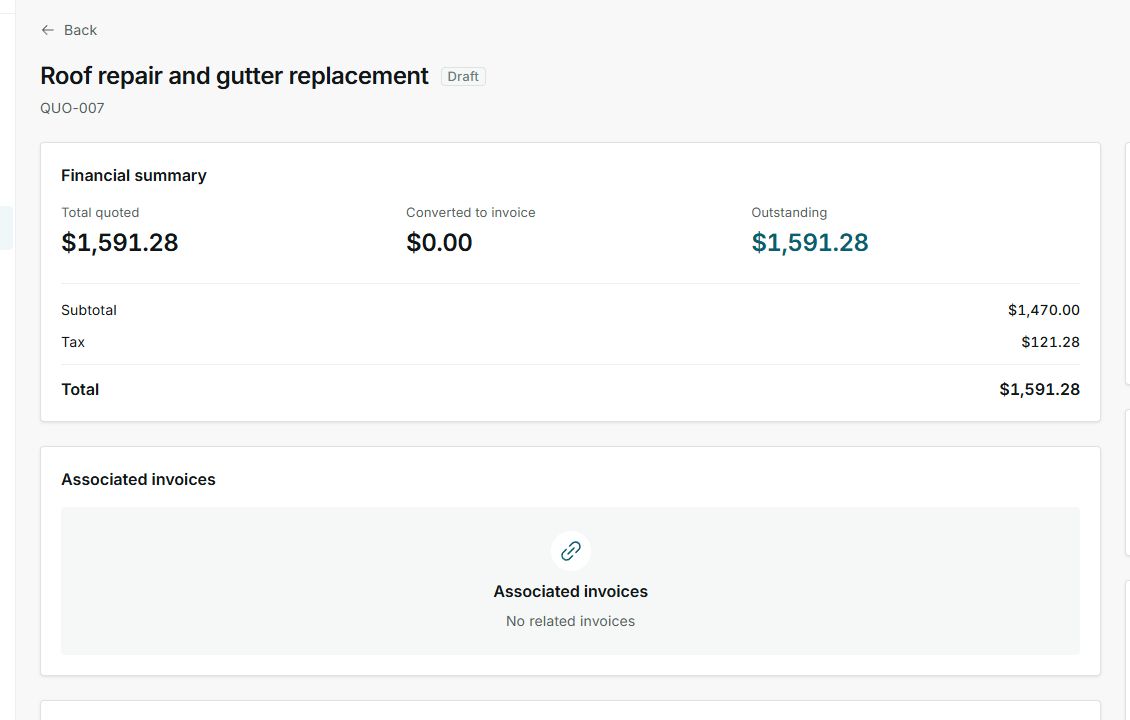
The detail page shows the current status and financial summary for the quote.
2. Review services, tax, and total
- Make sure each line describes the correct service.
- Confirm quantity, unit price, and subtotal.
- If tax applies, validate the rate and calculated amount.
- Compare subtotal, discount, tax, and total before sending or editing.
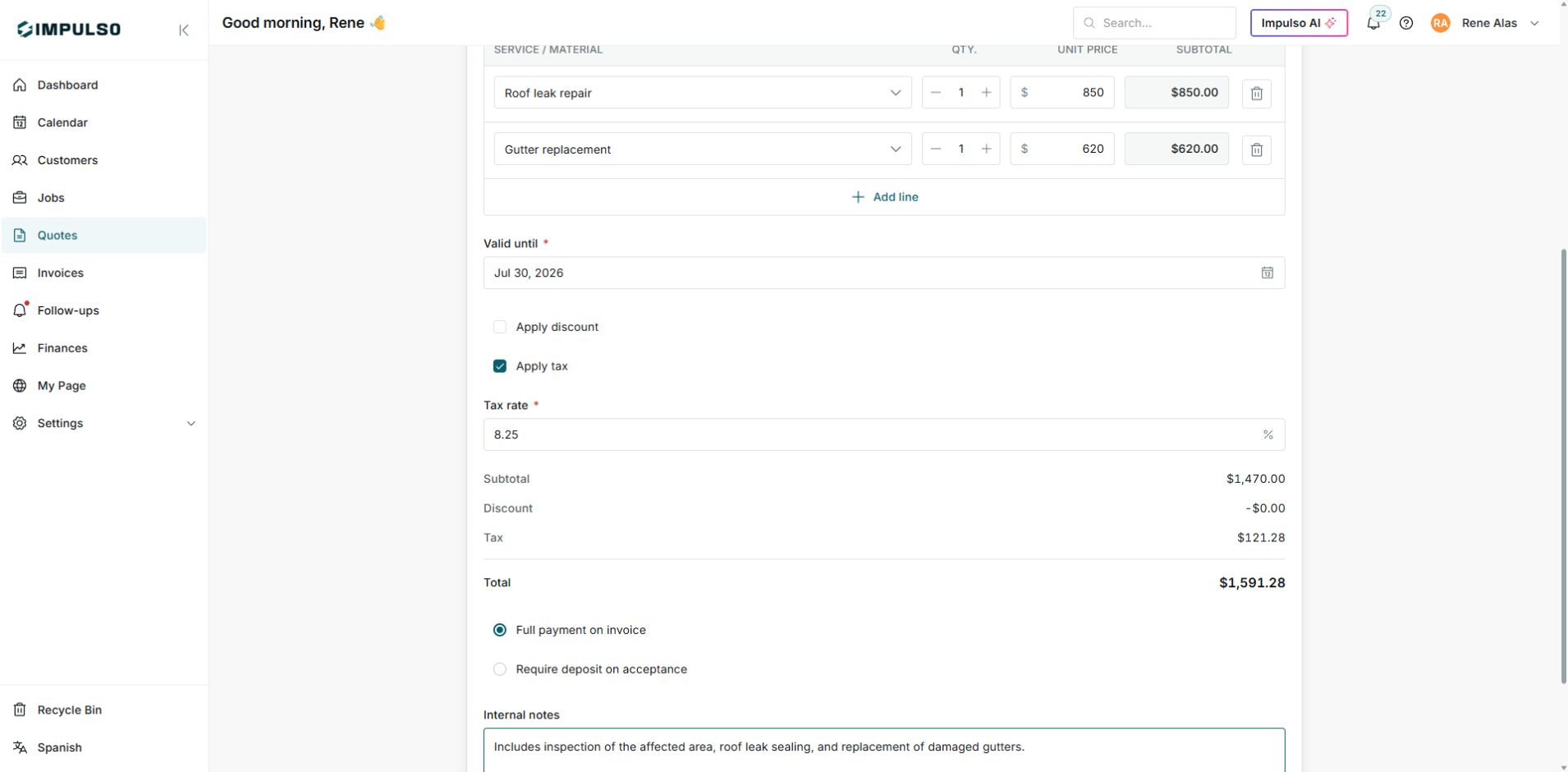
Use services and totals to confirm the customer will receive the right information.
3. Decide the next step
- If it is Draft, you can edit or send when everything is ready.
- If it is Sent or Viewed, follow up without sending duplicate messages.
- If it is Accepted, review whether it should become a job.
- If it is Rejected or Expired, decide whether to create a new version.
4. States you can see
Statuses combine sales progress and financial follow-up. They are not the same as the payment status of an invoice.