

Before you start
- Use this flow when you will not collect from the online payment button.
- Decide how the customer should pay before you send the quote or invoice.
- Do not mark an invoice paid until you receive the money.
1. Add payment instructions
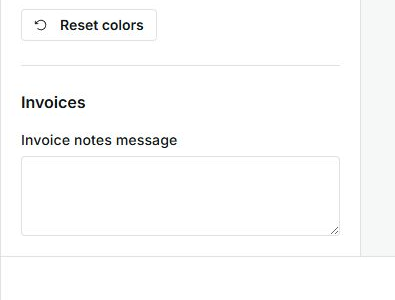
- Go to Settings and open Documents.
- Review the Invoice, Quote, and Quote + deposit templates.
- Use notes, terms, or the document message to tell the customer how to pay.
- Save changes only when the wording is ready for future documents.
2. Send the quote
- Review customer, services, tax, discount, and total before sending.
- If the quote requires a deposit, confirm that the amount and instructions are clear.
- The customer can accept the quote even when payment happens another way.
- After acceptance, review the quote, job, or related invoice for follow-up.
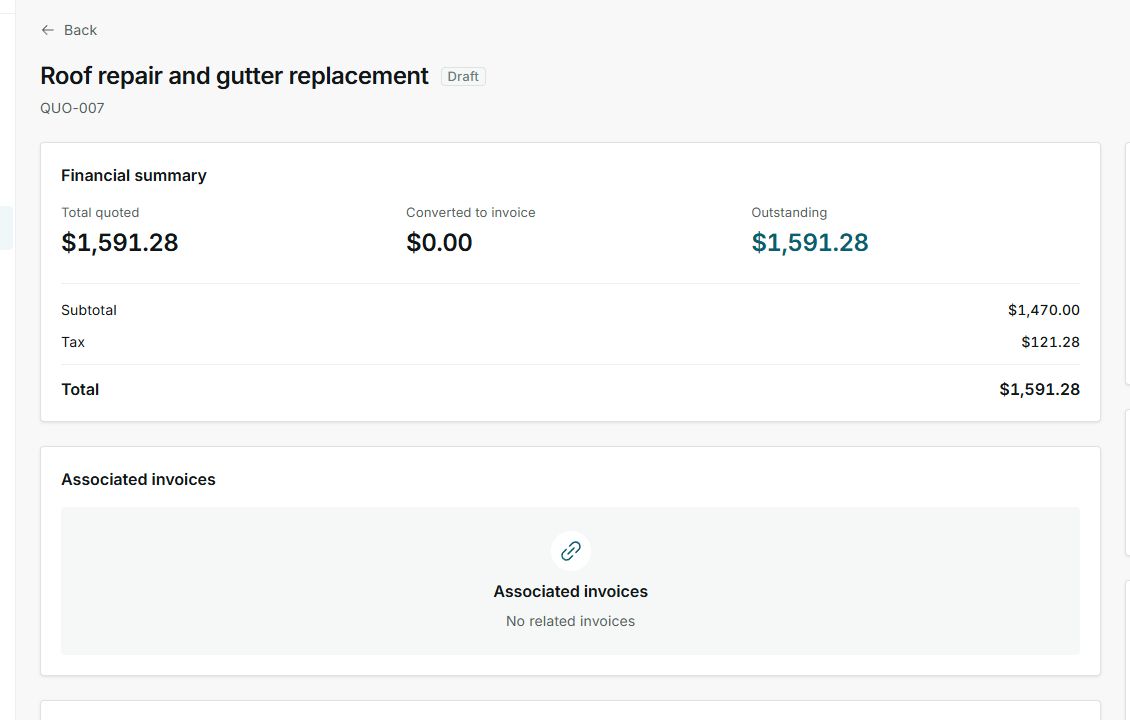
Quote acceptance and payment are separate. Review the balance or related invoice before closing the collection step.
3. Send the invoice and collect outside online payments
- Send the invoice when the customer, total, and due date are correct.
- If no online payment action appears, the customer can still review the invoice and follow the instructions you included.
- When you receive money by bank transfer, check, cash, or another method, record the payment on the invoice.
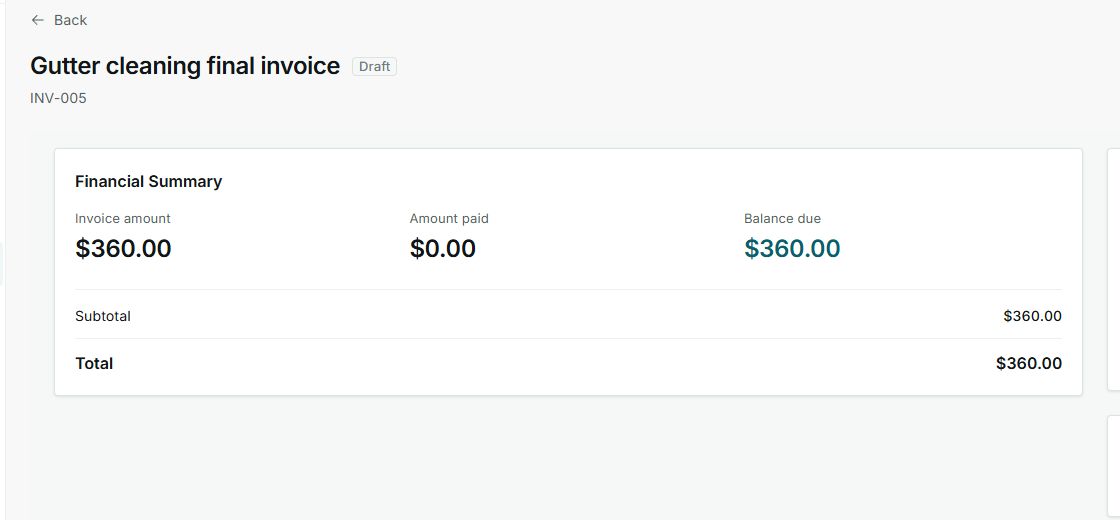
- Use Open balance to know whether to follow up or mark the invoice paid.
Statuses and options you may see
- Draft
Meaning: The document exists, but it has not been sent to the customer yet.
Next step: Review payment instructions, services, and total before sending.
- Sent
Meaning: The customer received the document or can review it.
Next step: Follow up based on the payment method you agreed on.
- Accepted
Meaning: The customer approved the quote.
Next step: Review deposit, job, or related invoice before treating collection as complete.
- Unpaid
Meaning: No payment has been applied to the related invoice yet.
Next step: Collect through the agreed method and record the payment when you receive it.
- Open balance
Meaning: Money is still due.
Next step: Send a reminder or confirm the payment before closing the invoice.
- Paid
Meaning: The invoice has no open balance.
Next step: Review history if you need to confirm payment date or method.