

1. Prepare the service
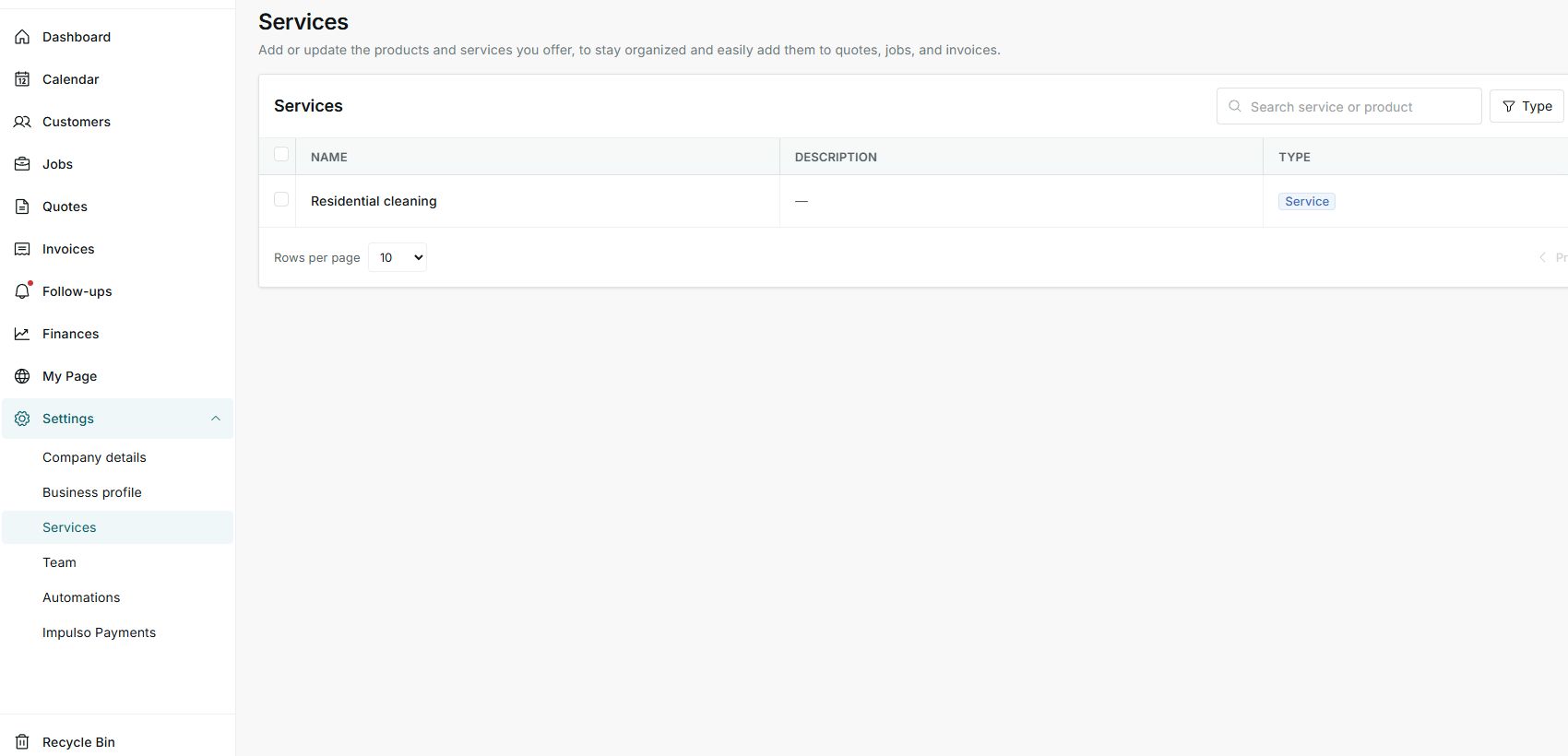
- Go to Settings > Services.
- Confirm the service exists in the list.
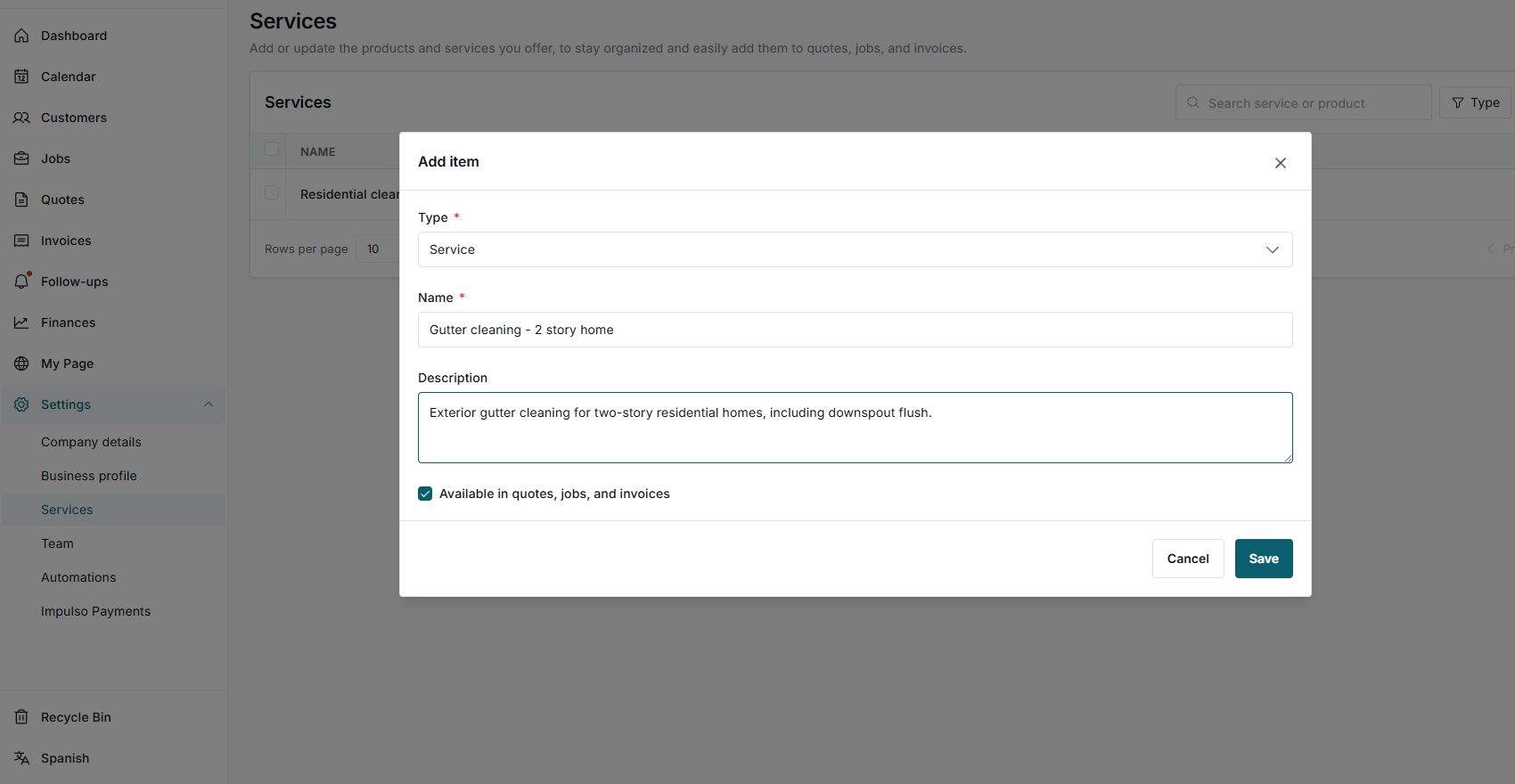
- When creating or editing it, review that it is available for quotes, jobs, and invoices.
2. Confirm availability
- Available in quotes, jobs, and invoices controls where the item can be selected.
- Use it for repeated services such as roofing, gutter cleaning, HVAC, or pressure washing.
- Save the change only when you want to keep it.
3. Use it in a quote
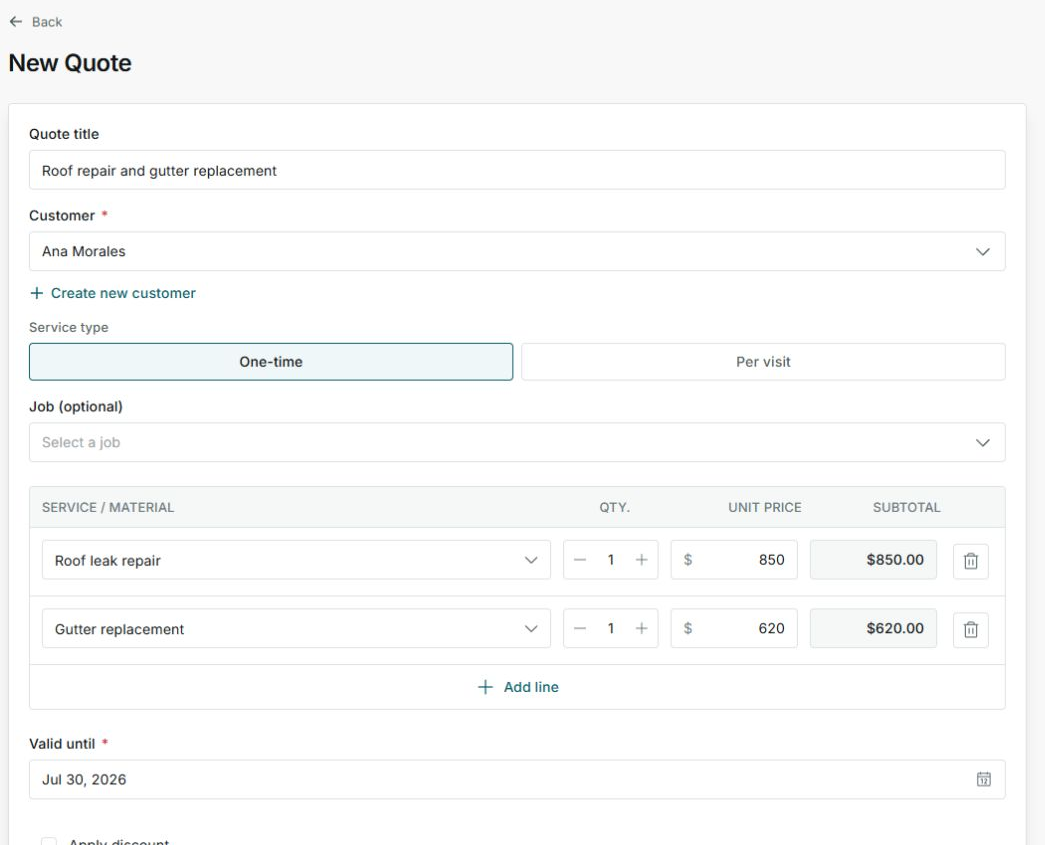
- In the Services section of a quote, add a line item.
- The service name helps keep descriptions and prices more consistent.
- Adjust quantity, price, tax, or discount based on the job.
4. Use it in an invoice
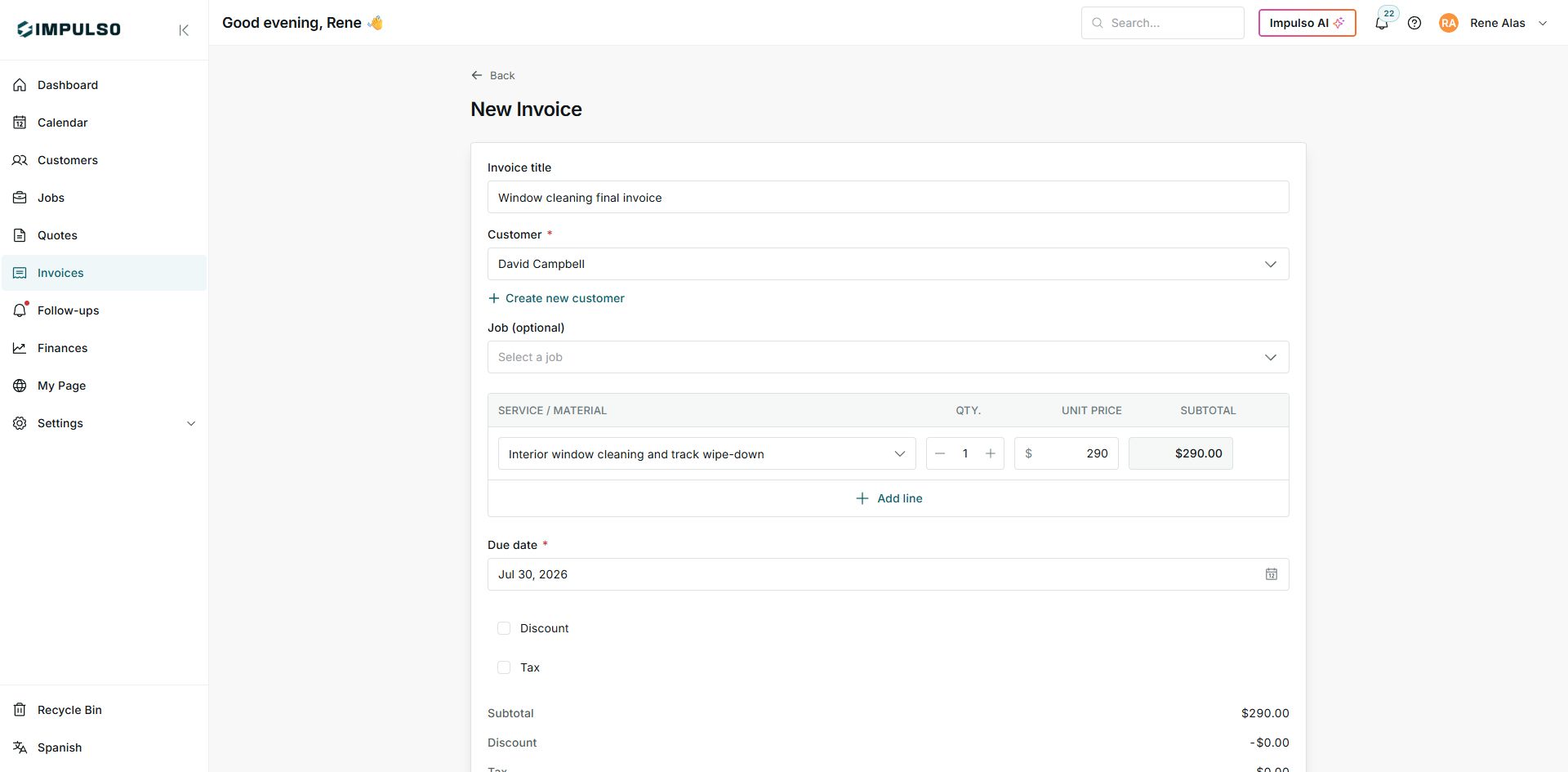
- On an invoice, add services or products to the detail.
- Use saved services so you do not type the same items from scratch.
- Review subtotal, tax, and total before sending or collecting.
States you may see
- Available
The service can be selected on documents and jobs.
Next step: Keep it on for frequent services.
- Service
Reusable work or labor item.
Next step: Use it for items you sell often.
- Product
Reusable material or product item when your catalog needs it.
Next step: Use it when selling materials or parts.