

Before you start
- Use Calendar when you need to see visits, estimates, and activities by date.
- If you are looking for a specific visit, start with the right month and use Team or Type filters.
- Opening a visit to read its quick detail does not change it by itself.
- Controls like New, Edit, Reschedule, and Start visit can create or change real information.
1. Change date and view
- Go to Calendar.
- Use Previous and Next to move between periods.
- Click Today to return to the current period.
- Switch between Month, Week, and Dispatch depending on the detail you need.
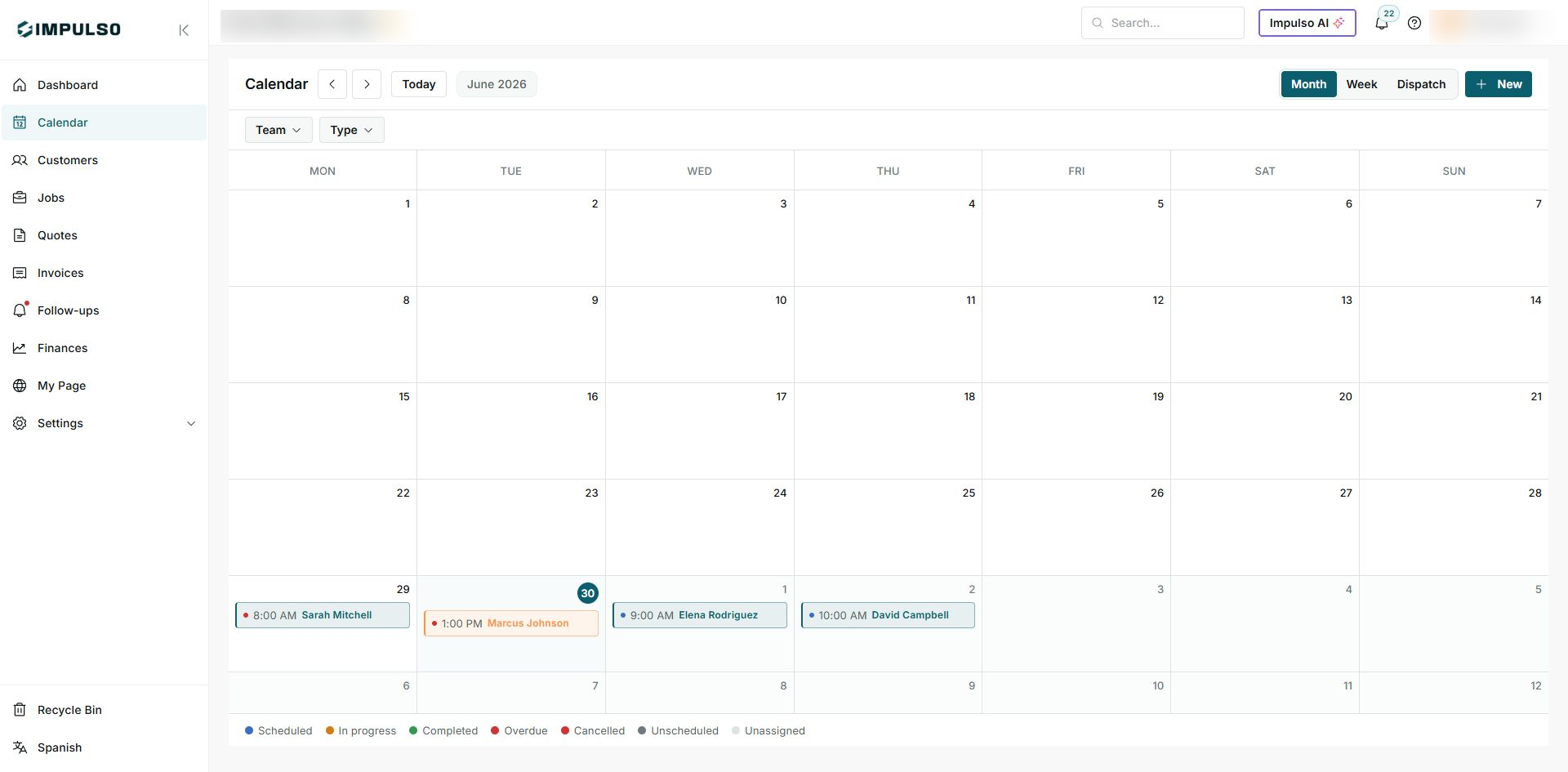
Month view is useful for reviewing workload by week and spotting busy days.
2. Read visits on the calendar
- Find the visit date inside the grid.
- Read the time on the left side of the row and the customer or contact name on the right.
- Use the color dot to recognize the status without opening the detail.
- When a date belongs to the next month, Impulso Pro still shows it in the same grid so you can see the full week.
3. Use filters and main actions
- Use Team to show visits for one person or group.
- Use Type to separate visits, estimates, or other activities when available.
- Use New only when you want to create a new visit, estimate, or task.
- If you cannot find a visit, check that filters are not hiding it and confirm the selected month or week.
4. Open a visit quick detail
- Click the visit inside the calendar.
- Review the customer, job, time, status, team, and address.
- Use View detail if you need to open the full job or visit page.
- Use Edit, Reschedule, or Start visit only when you really want to change the visit.
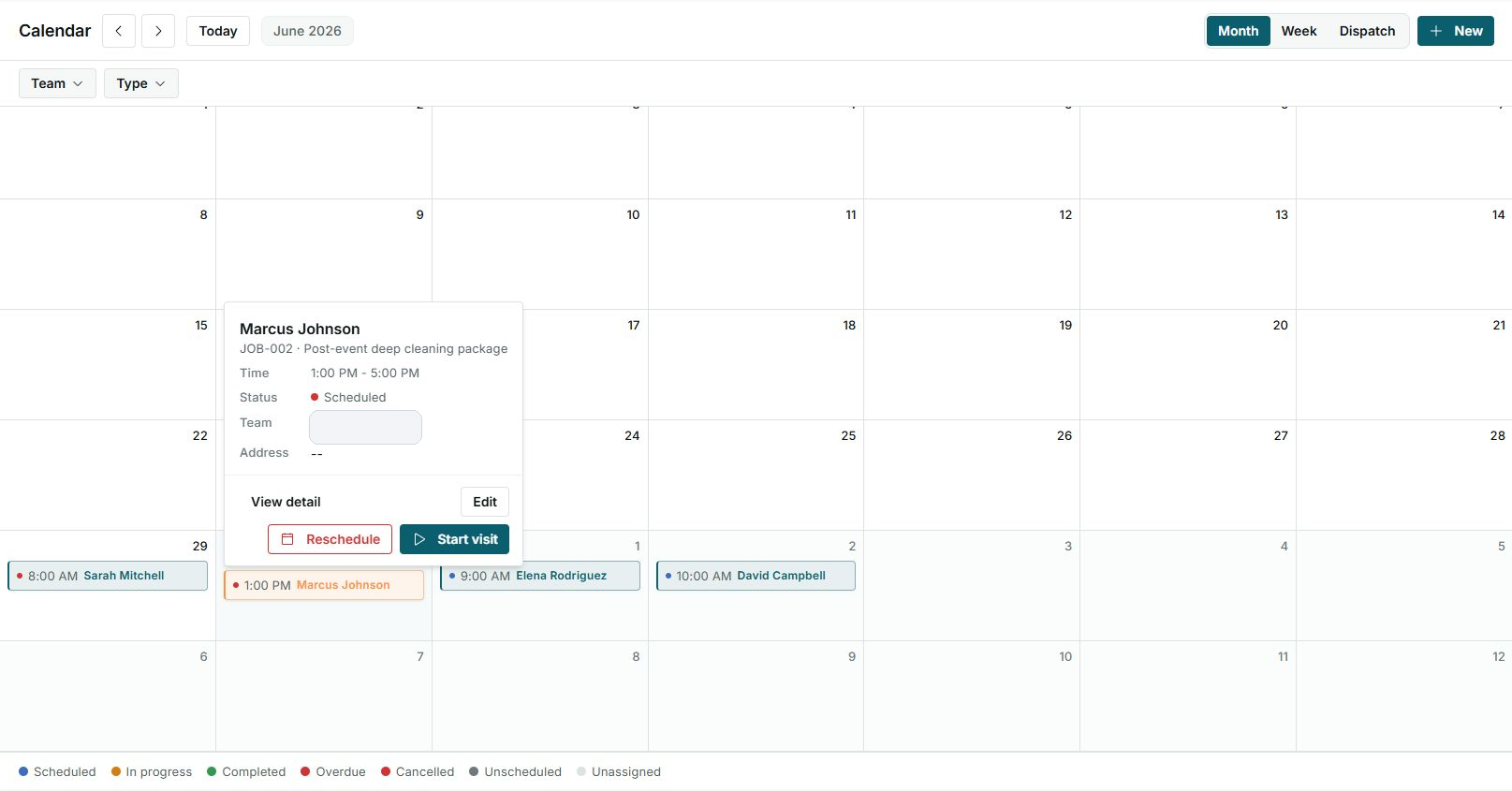
In this example, Marcus Johnson's visit is scheduled from 1:00 PM to 5:00 PM.
5. States you can see
The calendar legend explains the colors you will see on visits. Use those states to know whether the visit is only scheduled, already started, completed, overdue, or still needs scheduling.