

Before you start
- Review the correct type tab: customers, jobs, quotes, invoices, follow-ups, expenses, visits, or services.
- Use Days left to decide priority.
- Do not confuse the Recycle Bin with the fiscal archive.
1. Review item types
- The Recycle Bin separates customers, jobs, quotes, invoices, follow-ups, expenses, visits, services, and templates.
- The number next to each type shows how many items are in that category.
- Filter or search when there are many records.
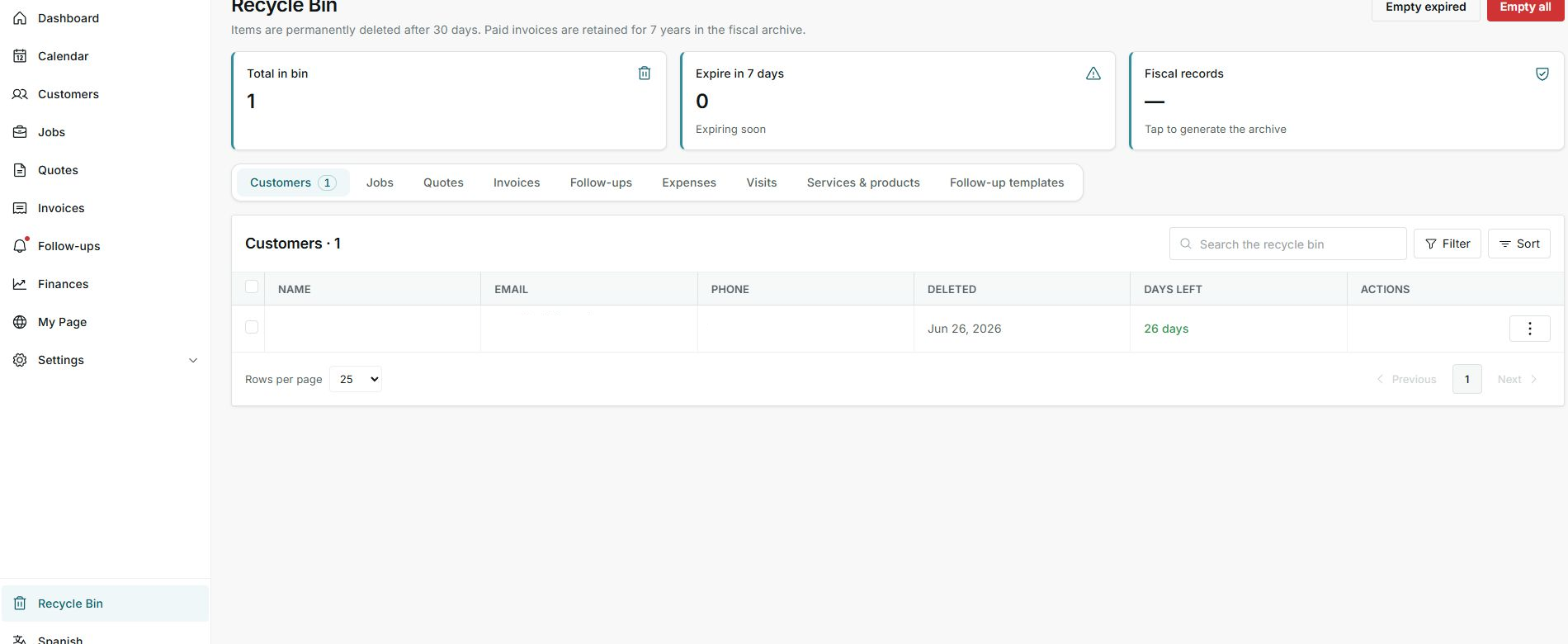
Tabs help you review what can be recovered by type.
2. Understand what you can do
- If Restore appears, the item can return to its original module.
- If Delete permanently appears, that action removes it permanently.
- If the record belongs to the fiscal archive, treat it as retained information, not a normal deleted item.
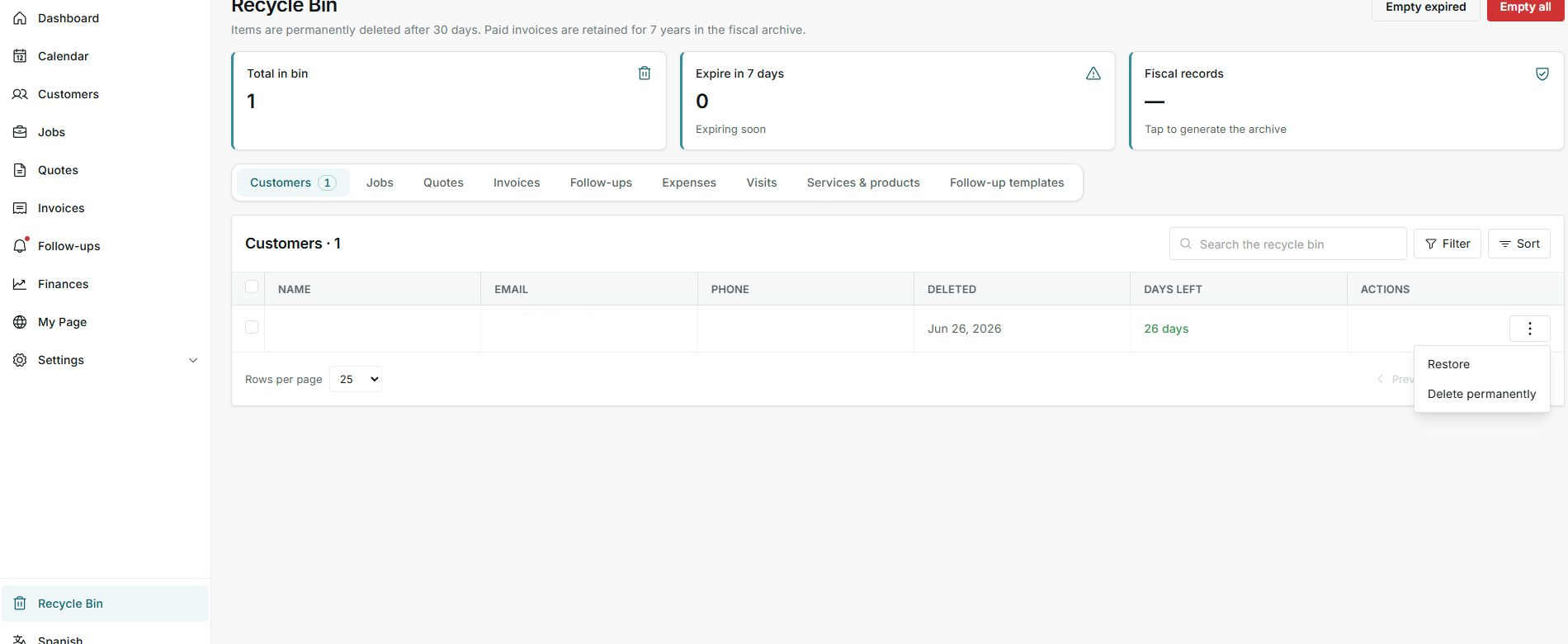
Available actions depend on the item type and state.
3. Important limits
- Normal items have a recovery window.
- Fiscal records may be retained longer even when no longer active.
- After permanent deletion, do not assume you can recover it from the app.
Statuses and options
Meaning: Number of deleted items still shown in the Recycle Bin.
Next step: Review it before emptying or restoring.
Meaning: Items close to permanent deletion.
Next step: Prioritize them if you still need them.
Meaning: Information retained for fiscal reasons, such as paid invoices.
Next step: Do not treat it like a normal bin item.
Meaning: Approximate time before permanent deletion.
Next step: Restore before it reaches zero.
Meaning: Returns the item to its original module.
Next step: Use it only when you confirm the item should come back.
Meaning: Deletes the item permanently.
Next step: Do not use it if you need to keep evidence.
Meaning: Deletes items that already reached the retention limit.
Next step: Review before using it.
Meaning: Attempts to delete everything that can be removed from the Recycle Bin.
Next step: Avoid it if you have not reviewed each type.