

Before you start
- You need Owner/Admin access to review payments.
- Do not open Stripe or save changes when you are only reviewing settings.
- For customer data, use realistic US-market services such as roofing, HVAC, gutters, or exterior painting.
1. Review included features
- Open Settings > Impulso Pro Payments.
- Review card and ACH status separately.
- Impulso Pro does not save cards or bank accounts for future charges.
- Invoices and quote deposits offer card and ACH when the method is active; phone payments remain card-only.
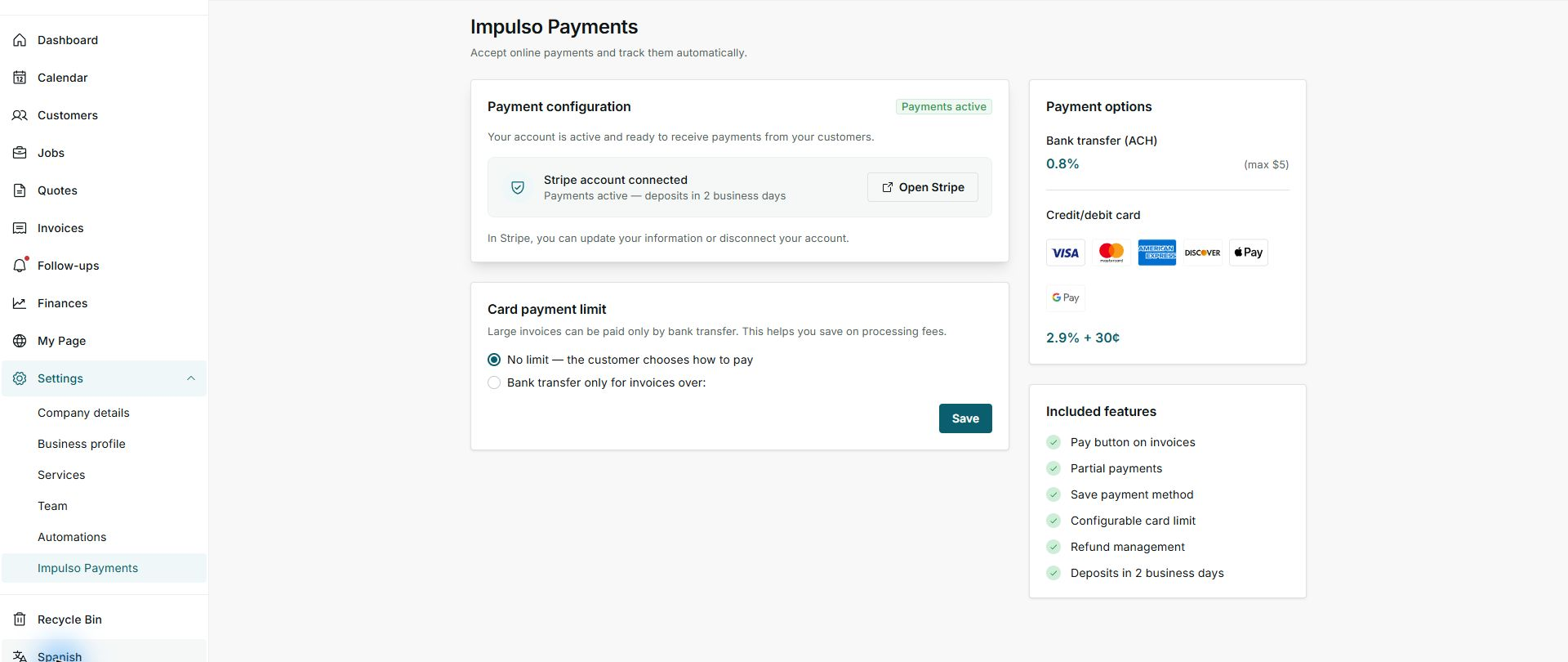
2. Review options, costs, and timing
About the image: This capture preserves the earlier screen location and must not be used as a reference for fees, payout timing, or saved methods.
- Card and ACH appear as separate options when active.
- Check Stripe for the current fees and payout timing for your account. Impulso Pro does not promise a percentage, fixed charge, or exact payout date.
- An ACH payment can show Processing. The invoice is not marked paid until the payment is confirmed.
3. Avoid unnecessary changes
- Do not save changes if you do not want to change how you collect payments.
- Use support or the Stripe Dashboard for refunds, disputes, chargebacks, and account disconnection.
- An ACH payment received outside Impulso Pro can be recorded manually as ACH already received; that action does not start a debit or save a bank account.
- Customer invoices, deposits, documents, emails, and payment screens are shown in English.
Statuses and options you may see
- Card active
Meaning: Card is available for eligible invoices.
Next step: Send the invoice when it is ready.
- ACH active
Meaning: ACH bank transfer is available.
Next step: The customer can choose it on the payment screen.
- ACH pending
Meaning: Stripe still needs to finish activation or receive more information.
Next step: Complete the request in Stripe; card payments may remain active.
- Processing
Meaning: The bank has not confirmed the ACH payment yet.
Next step: Wait for confirmation; Impulso Pro keeps the balance due.
- No saved method
Meaning: Impulso Pro does not keep the method for future charges.
Next step: The customer chooses and enters a method for each payment.