

1. Review business details
- Go to Settings > Company details.
- Name, phone, email, and website help identify your business on documents.
- Keep these details ready before sending quotes or invoices.
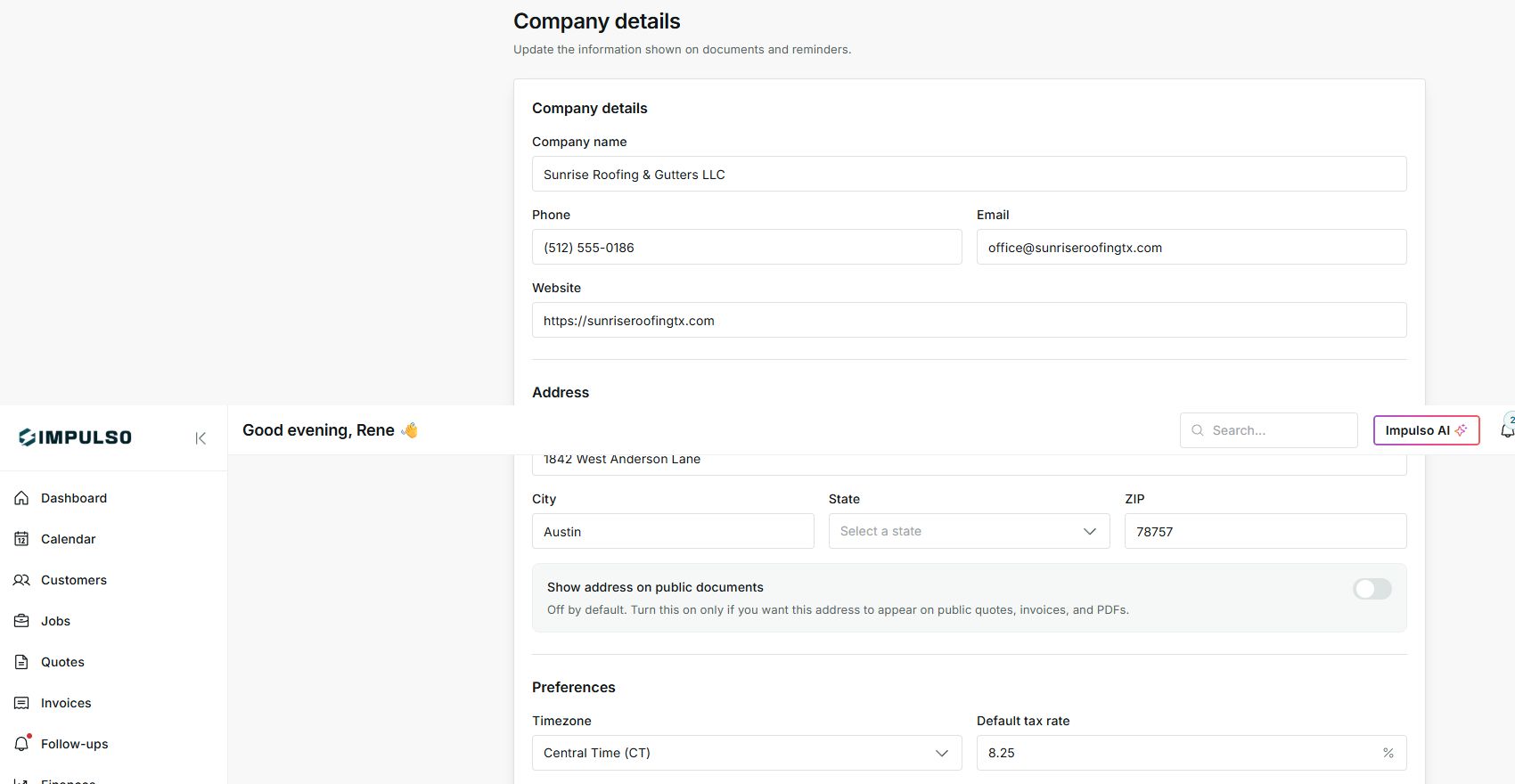
2. Decide whether to show the address
- Show address on public documents is off by default.
- Turn it on only when the address should appear on public quotes, invoices, and PDFs.
- If you work by service area and do not want to show an office address, leave it off.
3. Review tax and payment terms
- The default tax rate helps prepare documents faster.
- Payment terms suggest due dates on new invoices.
- Adjust each document when a customer or job needs different terms.
States you may see
- Show address on public documents
Controls whether customers see the address.
Next step: Turn it on only when that address should be shown.
- Default tax rate
Suggests tax when creating documents.
Next step: Change it on the document when the job requires it.
- Payment terms
Suggests how many days the customer has to pay.
Next step: Adjust the invoice when you need a different due date.