

1. Where to see the status
The status appears in the quote list and quote detail. In the detail view, you can also review total, associated invoices, and outstanding amount.
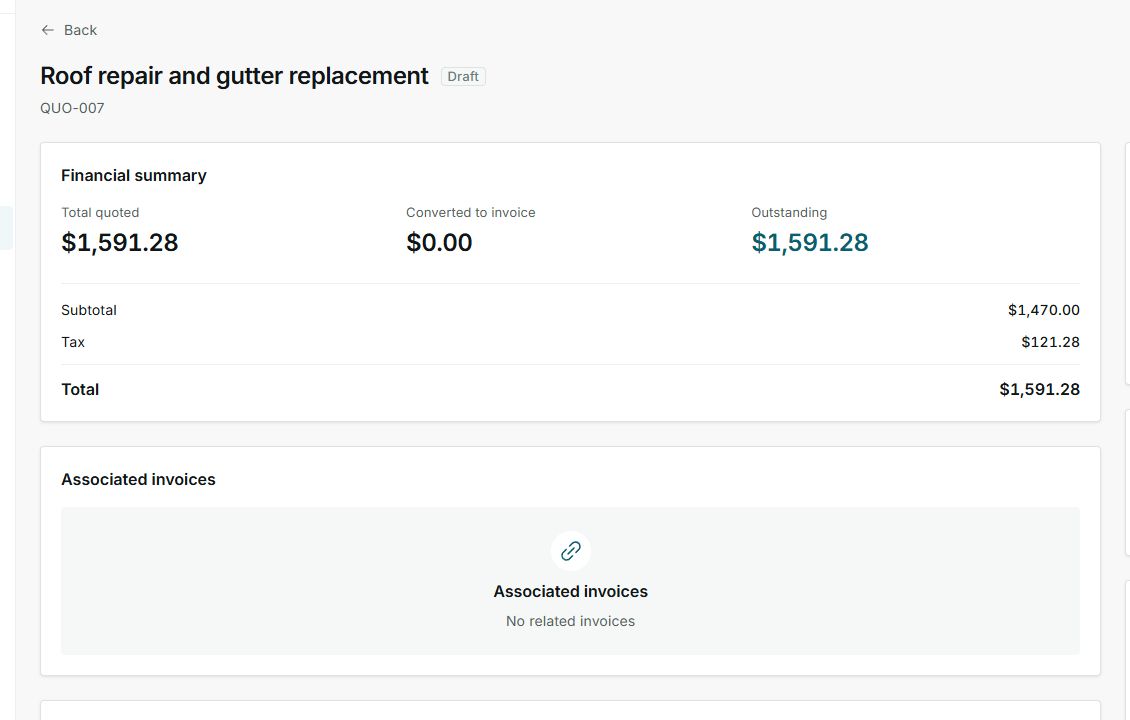
In this example, the quote is in Draft.
2. How to read progress
- Draft means you have not sent it to the customer yet.
- Sent and Viewed mean the customer can review the quote.
- Accepted means the customer approved the proposal.
- Rejected, Expired, or Cancelled mean you should decide whether to create a new version or close follow-up.
- Converted or Partially converted mean the quote moved toward job or invoice work.
3. Separate quote status from payment
An accepted quote does not always mean it has been paid. Review payment status separately when there is a related invoice, deposit, or payment.
4. States you can see
These statuses appear based on what has happened with the quote and the customer's response.