

Before you start
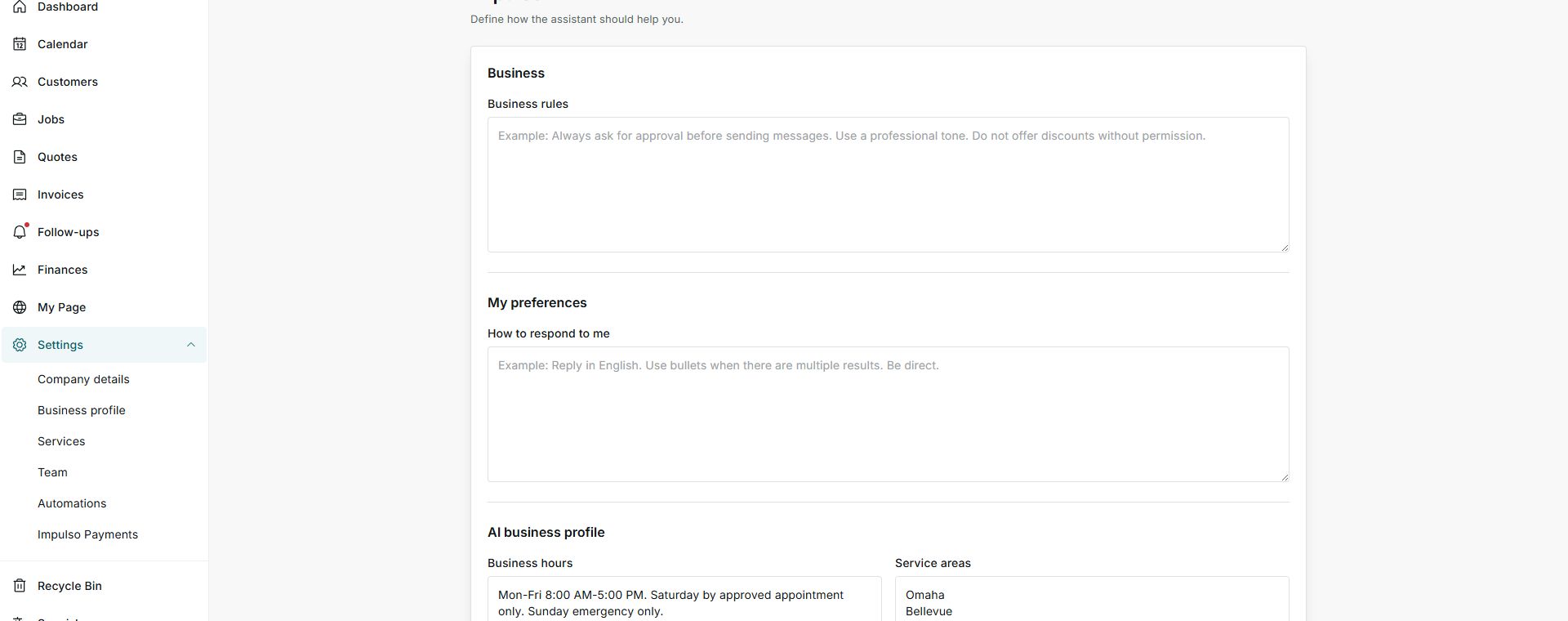
- AI rules are written in Settings > Impulso AI.
- Use clear rules to say when AI must ask for approval.
- Do not save instructions until you confirm the text is correct for your business.
1. Review Business rules
- Go to Settings > Impulso AI.
- Find Business rules.
- Write instructions such as: ask for approval before sending messages and do not offer discounts without permission.
2. Actions to approve first
- Sending messages: ask to review before sending SMS, email, or customer replies.
- Offering discounts: define whether AI may suggest them or always needs permission.
- Changing important information: ask for confirmation before changing details that affect the customer.
- Promising dates or prices: require approval when the reply commits schedule, price, or scope of work.
Options you may see
- Business rules
Meaning: Instructions AI should follow for your company.
Next step: Write simple, direct rules.
- Ask for approval
Meaning: AI should wait for your review before acting.
Next step: Use it for messages, discounts, and sensitive changes.
- Save instructions
Meaning: Applies the written rules.
Next step: Save only after reviewing the text.