

Before you start
- Check whether the item is still inside the recovery period.
- Be careful with paid invoices and fiscal records.
- Do not use Empty all if you have not reviewed each item type.
1. Review Recycle Bin rules
- The Recycle Bin says items are permanently deleted after 30 days.
- Paid invoices are retained for 7 years in the fiscal archive.
- Counters help you spot items close to expiration.
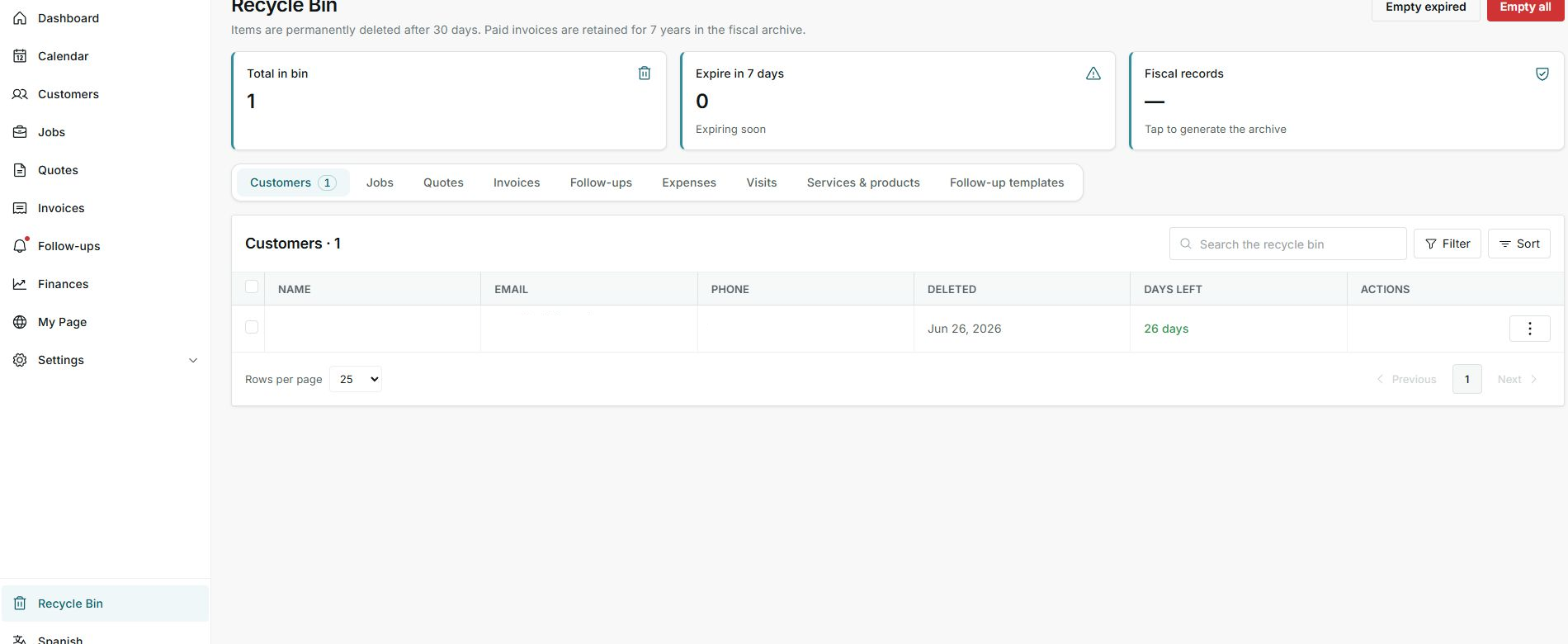
The screen separates normal deleted items from records that must be retained longer.
2. Separate restore from delete
- Open the row actions menu.
- Restore brings the item back.
- Delete permanently attempts permanent deletion.
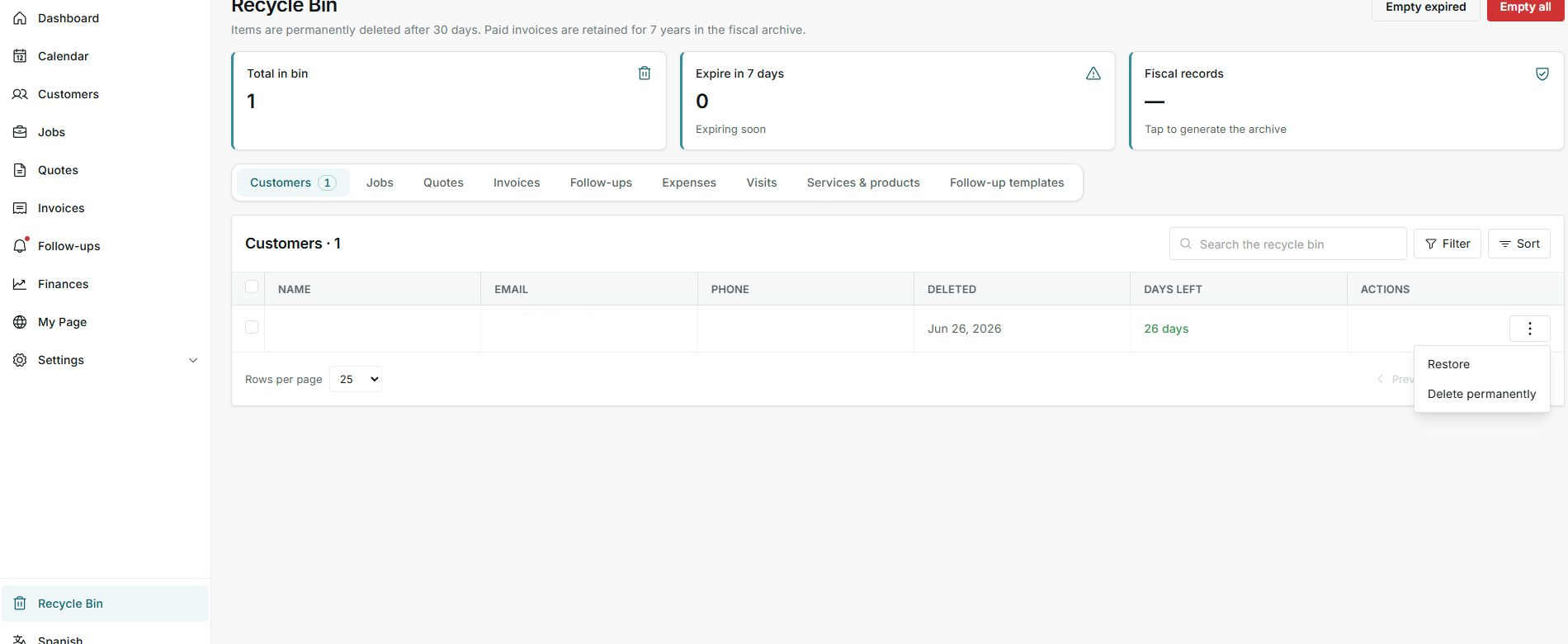
Do not choose Delete permanently if you need to keep the history.
3. When not to delete
- Do not delete if you still need paid invoices, fiscal information, or operating history.
- Do not delete if the item may affect related jobs, customers, or documents.
- If you are not sure, leave it in the Recycle Bin until confirmed.
Statuses and options
Meaning: Number of deleted items still shown in the Recycle Bin.
Next step: Review it before emptying or restoring.
Meaning: Items close to permanent deletion.
Next step: Prioritize them if you still need them.
Meaning: Information retained for fiscal reasons, such as paid invoices.
Next step: Do not treat it like a normal bin item.
Meaning: Approximate time before permanent deletion.
Next step: Restore before it reaches zero.
Meaning: Returns the item to its original module.
Next step: Use it only when you confirm the item should come back.
Meaning: Deletes the item permanently.
Next step: Do not use it if you need to keep evidence.
Meaning: Deletes items that already reached the retention limit.
Next step: Review before using it.
Meaning: Attempts to delete everything that can be removed from the Recycle Bin.
Next step: Avoid it if you have not reviewed each type.