

Before you start
- Use an email you control and can use for verification messages.
- Decide whether you will sign in with email and password or with Google.
- If your team already invited you, use that invitation link instead of creating a new account.
- You do not need a credit card to start the free trial.
1. Open the sign-up screen
- From the Impulso Pro website, choose the option to start your free trial.
- Confirm that you see the Create your account title.
- Check that the screen shows Email, Password, Start free trial, and Continue with Google.
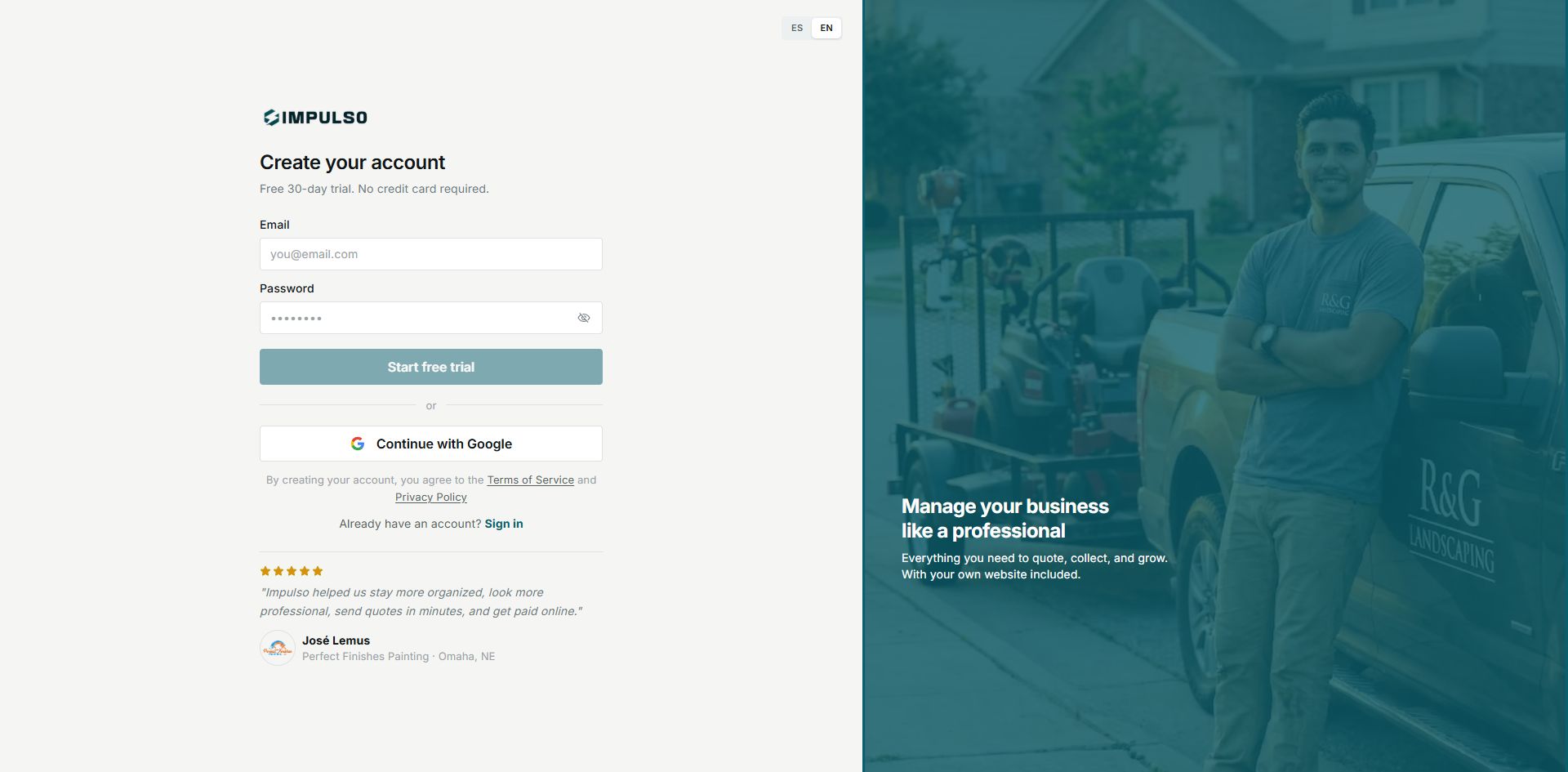
The sign-up screen confirms the 30-day trial and does not ask for a credit card.
2. Create an account with email and password
- Enter your Email.
- Enter a secure Password.
- When the button becomes active, click Start free trial.
- Follow the steps Impulso Pro shows to verify your email and set up your business.
Tip
Use your business email if you have one, such as the email you use to send quotes or receive customer requests.
3. Create an account with Google
- Click Continue with Google.
- Choose the Google account you want to use for Impulso Pro.
- Return to Impulso Pro and complete any setup steps that appear.
Use the same option every time you sign in. If you create the account with Google, keep using Continue with Google when signing in.
4. Review terms and privacy
- Before creating the account, review the Terms of Service and Privacy Policy links.
- If you already have an account, use Sign in so you do not create another one.
5. States you may see
These states help you know whether you can continue or need to fix something before creating the account.
- Disabled button
Means: email, password, or a valid value is missing. Next step: complete the fields. Does not mean: Impulso Pro rejected your account.
- Loading
Means: Impulso Pro is processing the sign-up. Next step: wait a few seconds. Does not mean: you need to press the button multiple times.
- Error
Means: the sign-up could not be completed. Next step: check the email, password, or try Google. Does not mean: you cannot try again.