

Before you start
- Open Impulso Pro from a computer.
- The top bell shows how many alerts are still unread.
- The notification center shows a full list with type, priority, date, and actions.
- Do not use Mark all read or the archive icon if you still want those alerts to stay pending.
1. Open the notification center
- Click the bell in the top bar of Impulso Pro.
- Open the full notification list when you need more context than the quick panel gives you.
- Review the number beside the header, for example 22 unread.
- Read High priority alerts first.
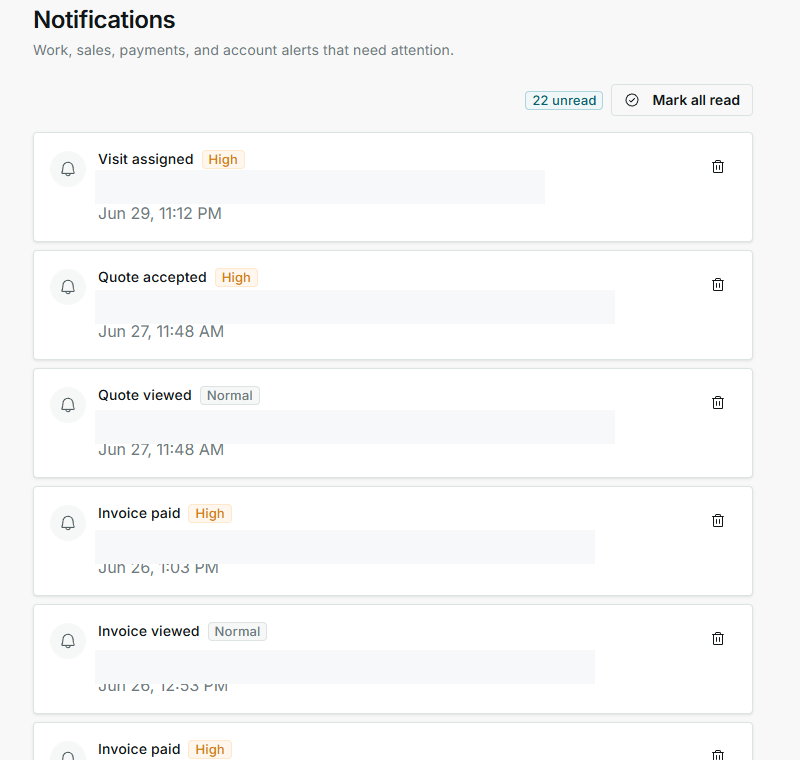
Private alert details are hidden in this guide; type, priority, and date remain visible.
2. Read each alert
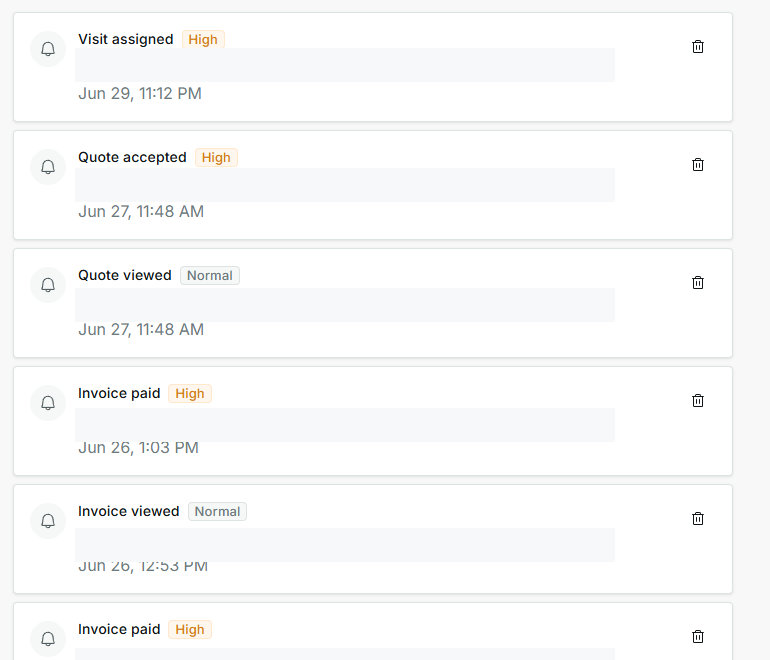
- Look at the alert type: visit assigned, quote accepted, quote viewed, invoice paid, or invoice viewed.
- Check the priority: High usually deserves review first; Normal can wait if nothing is urgent.
- Use the date and time to sort the newest activity.
- Before opening an alert, confirm it matches the correct job, quote, invoice, or follow-up.
3. Choose the right action
- If you are only reviewing, do not click the alert row.
- Click an alert only when you want to open the related record.
- Use Mark all read only after you have reviewed every pending alert.
- Use the archive icon only when you want to remove that alert from your active review list.
4. Understand alert types
Alert types change based on what happens in the business. These are the most common types on this screen.
- Visit assigned
Means: a visit was assigned or needs team review. Next step: check schedule and assignee. Does not mean: the visit is completed.
- Quote accepted
Means: a customer accepted a quote. Next step: review the job and next steps. Does not mean: the job is already finished.
- Quote viewed
Means: the customer opened the quote. Next step: follow up if appropriate. Does not mean: the customer accepted it.
- Invoice paid
Means: an invoice was paid. Next step: review collection if you need to confirm finances. Does not mean: every job for that customer is closed.
- Invoice viewed
Means: the customer opened the invoice. Next step: wait for payment or follow up. Does not mean: it has been paid.
- Schedule changed
Means: a visit or job changed on the calendar. Next step: review date, time, and team. Does not mean: the customer was already notified.
5. States you may see
These states help you decide what to review first and which actions to avoid when you are only checking information.
- Unread
Means: there are alerts still counted as pending. Next step: review them before clearing the count. Does not mean: every alert is urgent.
- Read
Means: the alert should no longer count as pending. Next step: use it as reference if you need history. Does not mean: the related work is resolved.
- High
Means: the alert deserves priority review. Next step: handle it before normal alerts. Does not mean: there is an error.
- Normal
Means: the alert is informational or regular priority. Next step: review it after higher-priority alerts. Does not mean: you should always ignore it.
- Mark all read
Means: clears the pending count. Next step: use it only after reviewing everything. Does not mean: jobs, payments, or quotes are completed.
- Archive
Means: removes that alert from your active review list. Next step: use it when you no longer need to see the alert. Does not mean: the customer, job, quote, or invoice is deleted.