

Before you start
- Notifications appear when something relevant happens in the business.
- The alert type tells you which part of Impulso Pro it came from: visit, quote, invoice, or schedule.
- The priority helps you decide what to review first.
- Private details are hidden in this guide; in your account, you will see the related customer, document, or job.
1. Where to see alert types
- Open the notification center from the bell.
- Read the title of each alert, for example Visit assigned or Invoice paid.
- Check the priority label beside the title.
- Use the date to see whether the alert is recent or part of older history.
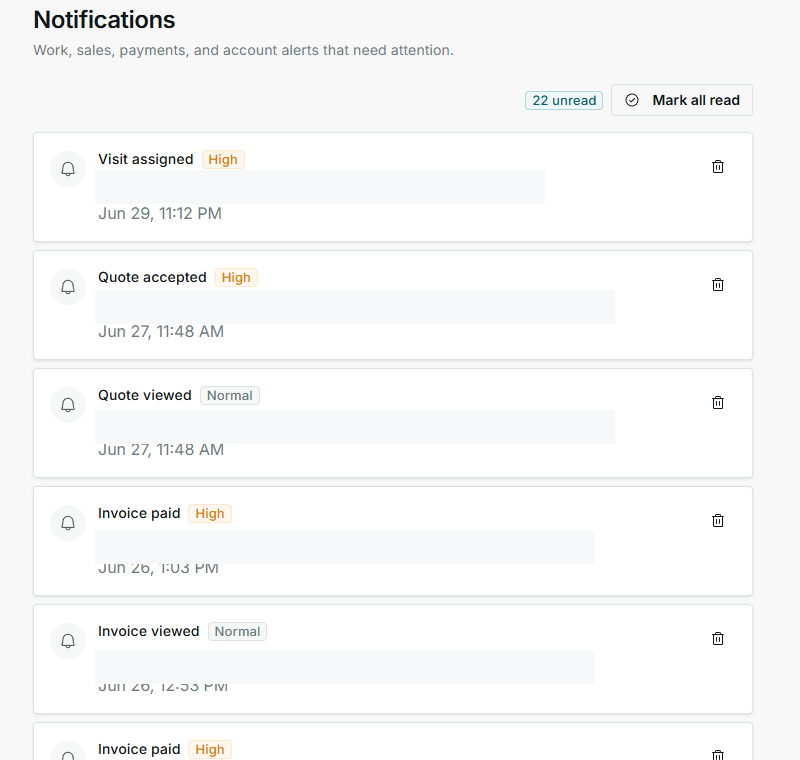
2. Main notification types
These are the visible types on the verified screen.
- Visit assigned
Means: a visit was assigned or needs a schedule and team review. Next step: confirm date, time, and assignee. Does not mean: the visit is completed.
- Quote accepted
Means: the customer accepted a quote. Next step: review the related job and next steps. Does not mean: the job is already closed.
- Quote viewed
Means: the customer opened the quote. Next step: consider follow-up if they have not responded. Does not mean: the quote was accepted.
- Invoice paid
Means: an invoice was paid. Next step: review finances if you need to confirm collection. Does not mean: every visit for that customer is finished.
- Invoice viewed
Means: the customer opened the invoice. Next step: wait for payment or follow up as needed. Does not mean: the invoice is paid.
- Schedule changed
Means: something changed on the calendar. Next step: review date, time, and team. Does not mean: the customer already confirmed the change.
3. Priority and count
- High means you should review the alert first.
- Normal means regular or informational priority.
- Unread means there are alerts still pending review.
- The archive icon removes an alert from your active list when you no longer need it visible.
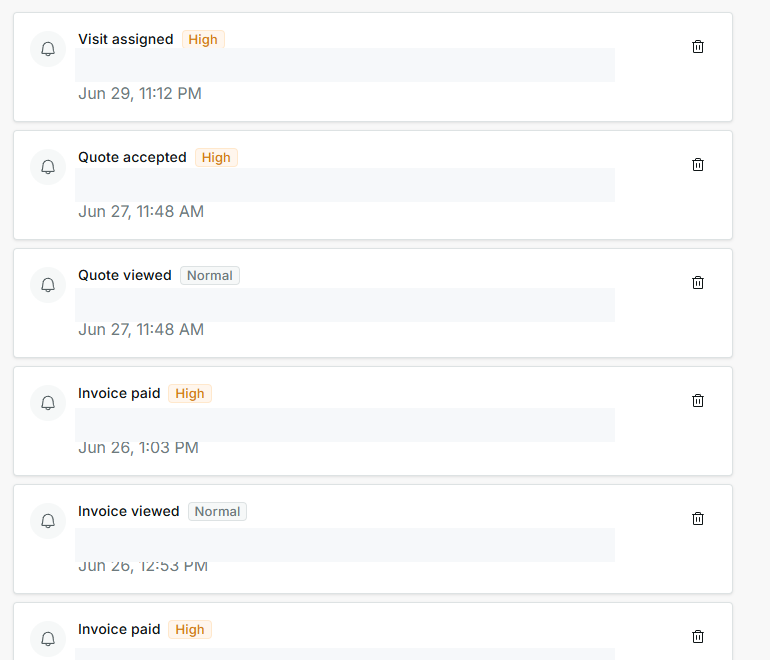
4. How to decide what to open
- Open Quote accepted alerts when you need to convert or review the job.
- Open Invoice paid alerts when you need to verify collection.
- Open Visit assigned or Schedule changed alerts when date, time, or team may have changed.
- Review Quote viewed and Invoice viewed alerts to decide whether follow-up is needed.
5. States you may see
These states appear beside alert types or near the top of the screen.
- Unread
Means: there are pending alerts in the list. Next step: review them before clearing the count. Does not mean: every alert is urgent.
- Read
Means: the alert was reviewed or no longer counts as pending. Next step: use it as reference. Does not mean: the related work is finished.
- High
Means: it should be reviewed first. Next step: handle it before normal alerts. Does not mean: there is an error.
- Normal
Means: regular priority. Next step: review it after more important alerts. Does not mean: it never matters.
- Mark all read
Means: clears the pending count. Next step: use it only after reviewing everything. Does not mean: jobs, payments, or quotes are completed.
- Archive
Means: removes one alert from the active list. Next step: use it when you no longer need to see the alert. Does not mean: it deletes the customer, job, quote, or invoice.